Quick answer: Compliance is proven in three separate places: the hardware dimensions, the software and content layer, and the installed environment. A vendor specification sheet can only ever cover the first two. There is no "ADA certified kiosk" designation and no single certificate you can demand at PO stage — what you can demand is documented evidence mapped to specific provisions, plus on-site measurement once the floor is finished.
What does an ADA compliant self-service kiosk actually have to prove?
Compliance is proven in three separate places: the hardware dimensions, the software and content layer, and the installed environment. A vendor specification sheet can only ever cover the first two. There is no "ADA certified kiosk" designation and no single certificate you can demand at PO stage — what you can demand is documented evidence mapped to specific provisions, plus on-site measurement once the floor is finished.
That distinction is where most procurement files fail. A distributor can hand you a warranty letter and a warehouse lead time; a software vendor can hand you an accessibility conformance report. Neither document tells you whether the note acceptor will sit within reach after the tile and screed go down. Treat ADA as a pre-PO acceptance gate rather than a legal topic, and every line item below becomes either a contractual value or a site check with a named owner.
The checklist in this article uses one frame throughout: item to verify → where it is actually proven → evidence you should hold before releasing the PO .
| Acceptance item | Where it is proven | Evidence to hold before PO |
|---|---|---|
| Reach range to screen, card reader, cash slot | Installed unit, measured from finished floor | Dimensioned drawing with finished floor line and reach limits marked; on-site tape photo |
| Clear floor space in front of the unit | Site layout | Dimensioned site plan with obstructions marked |
| Operable parts: force, grip, tactile identification | Hardware, at the control | Measured force values per control, stated as numbers not adjectives |
| Screen reader and private audio path | Software + hardware (headset jack, keys) | Conformance report plus a task-completion test run by an independent screen-reader user |
| Alternative access when the kiosk cannot be used | Operations | Written staffing or parallel-channel procedure with the same service hours |
Which accessibility rules apply to your kiosk — and which are still in rulemaking?
ADA Title II and Title III create the underlying obligation. Section 508 governs ICT procured federally and adds the closed-functionality requirement that matters most to kiosk design: a kiosk user cannot install their own assistive technology, so screen reader, magnification, audio and input alternatives have to ship inside the unit. The U.S. Access Board has a pending rulemaking, RIN 3014-AA44, that would amend the guidelines at 36 CFR part 1191 to cover fixed self-service transaction machines, kiosks, information transaction machines and point-of-sale devices; the Department of Transportation and Department of Justice are expected to adopt the amended guidelines as enforceable standards through separate rulemakings (Kiosk Industry summary of the rulemaking, kioskindustry.org/standards/ada-kiosk ).
Two consequences for how you write your RFP:
- Do not assume the ATM and fare-machine provisions automatically cover your kiosk type. Today's guidelines address those machine categories specifically; the extension to general self-service transaction machines is what is still in rulemaking. Write your own accessibility line citing 36 CFR part 1191 reach range and operable-parts provisions, and let your counsel confirm which of them your authority Having Jurisdiction (AHJ) actually enforces for your device and location.
- Write the spec to survive a tightening rule. If the hardware you buy today cannot meet reach and operable-parts provisions, a future rule change converts into a fleet retrofit rather than a design change.
If any of the fleet ships to the EU, treat EAA and ETSI EN 301 549 as an overlapping but not identical requirement set. KMA's harmonized checklist notes that the European Accessibility Act has applied to covered products and consumer services since 28 June 2025, with special transition treatment for certain existing self-service terminals ( kma.global harmonized checklist ). A single chassis can usually satisfy both — but only if the drawing is checked against both before tooling.
None of the above is legal advice. We are a kiosk hardware OEM, not counsel. Final obligations depend on the product, the purchaser, the installation location, the service category and the enforcing authority; confirm them with your AHJ and your legal team.
Can a wheelchair user reach the screen, card reader and cash slot from the finished floor?
Reach range is the single most common retrofit failure, because it is measured from the finished floor at the installed position — not from a spec sheet, and not from a CAD model drawn before the tile, screed or access plinth exists. Quote the exact high and low limits from the edition of 36 CFR part 1191 your jurisdiction enforces, not from a vendor blog (including this one).
What to verify:
- High and low reach limits applied to the screen's primary touch zone — the area users must touch, not the top edge of the bezel.
- The same limits applied to the payment device and to the cash acceptor or dispenser slot.
- Clear floor space in front of the unit, unobstructed by queue rails, mats or adjacent counters.
- Knee and toe clearance where any component is approached forward rather than from the side.
- Side-reach obstruction depth where the unit sits within a counter run — a counter-top kiosk set back behind an existing transaction top often fails here.
Acceptance method: tape-measure the delivered unit on site after floor finish, photograph the measurement with the tape visible and the floor line in frame, and file the photo against the PO. Sign off a physical mock-up before mass production — a mock-up review is cheaper than a plinth rebuild on a live retail floor.
Are the operable parts usable without tight grip, pinch or wrist twist?
Operable-parts provisions govern force and grip, and they apply to every physical control — keypad, card insertion, cash drawer, receipt tear-off, headset jack — not only the touchscreen. A touchscreen with an excellent interface can still sit in a chassis whose cash door is unusable.
What to verify:
- Actuation force ceiling per control, stated as a measured value.
- Tactilely discernible controls, with no function relying on colour alone.
- Key layout and key identification that a user can read by touch.
- Headset jack location reachable from a seated position without stooping.
- Card-slot orientation that does not require a fine pinch grip to insert or retrieve a card.
The cash-recycler gap. No ADA provision names cash recyclers specifically. That silence is not permission — it means the buyer must test the recycler door, note acceptor and coin cup against the reach-range and operable-parts provisions and document the test protocol and result. Heavy recycler doors and service-side access sit outside ADA but become an injury and uptime issue; keep that on a separate specification line so it is not lost inside the accessibility conversation.
Acceptance method: a force-gauge reading per control recorded on a test sheet, plus a one-handed and a low-grip functional test with the outcome logged. Require the OEM to state measured force — reject "light touch" and "easy to operate" as specifications.
How does a blind or low-vision user complete a transaction without staff help?
Effective communication for a kiosk means a screen reader or spoken interface that can carry a user through the entire task path — including payment confirmation and receipt — with private audio, and it has to be tested end-to-end rather than confirmed as a feature checkbox.
What to verify:
- Built-in screen reader with speech output, enabled at the kiosk rather than requiring an app.
- Headset jack for private listening, positioned within reach.
- Tactile keypad with tactilely discernible keys for PIN and amount entry.
- Spoken confirmation of amount, change and receipt status.
- Timeout behaviour that does not strand a slower user mid-transaction.
- Contrast and text scaling in the UI.
A WCAG-conformant interface is necessary but not sufficient. KMA's harmonized checklist makes the point directly: WCAG does not by itself address reach ranges, clear floor space, knee and toe clearance, tactile hardware controls, private listening, headset-jack location, key layout, actuation force or installation conditions. A conforming deployment needs accessible software and accessible hardware and an accessible installed environment.
Acceptance method: a task-completion script run by a screen-reader user who does not work for the vendor, from arrival to receipt, timed, with every failure written down. Repeat it with background noise at the lobby volume you actually expect. If that test is not in your evaluation plan, you are buying a claim rather than a capability.
Where a task genuinely cannot be completed independently, alternative access — staff assistance or a parallel online channel — is a legitimate control, but it must be reliably available during the same service hours. An unstaffed "please ask a member of staff" notice is not an alternative.
Where do the card reader and cash recycler actually land — and why does chassis choice decide it?
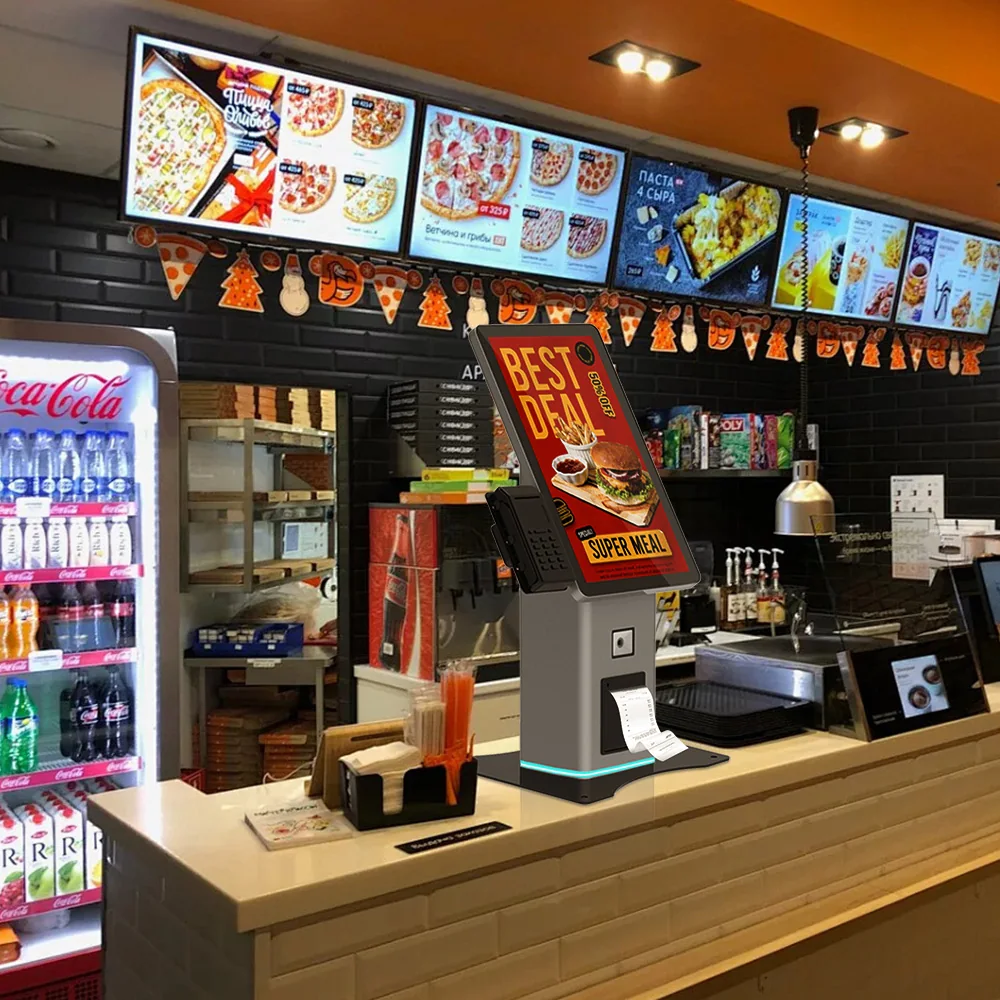
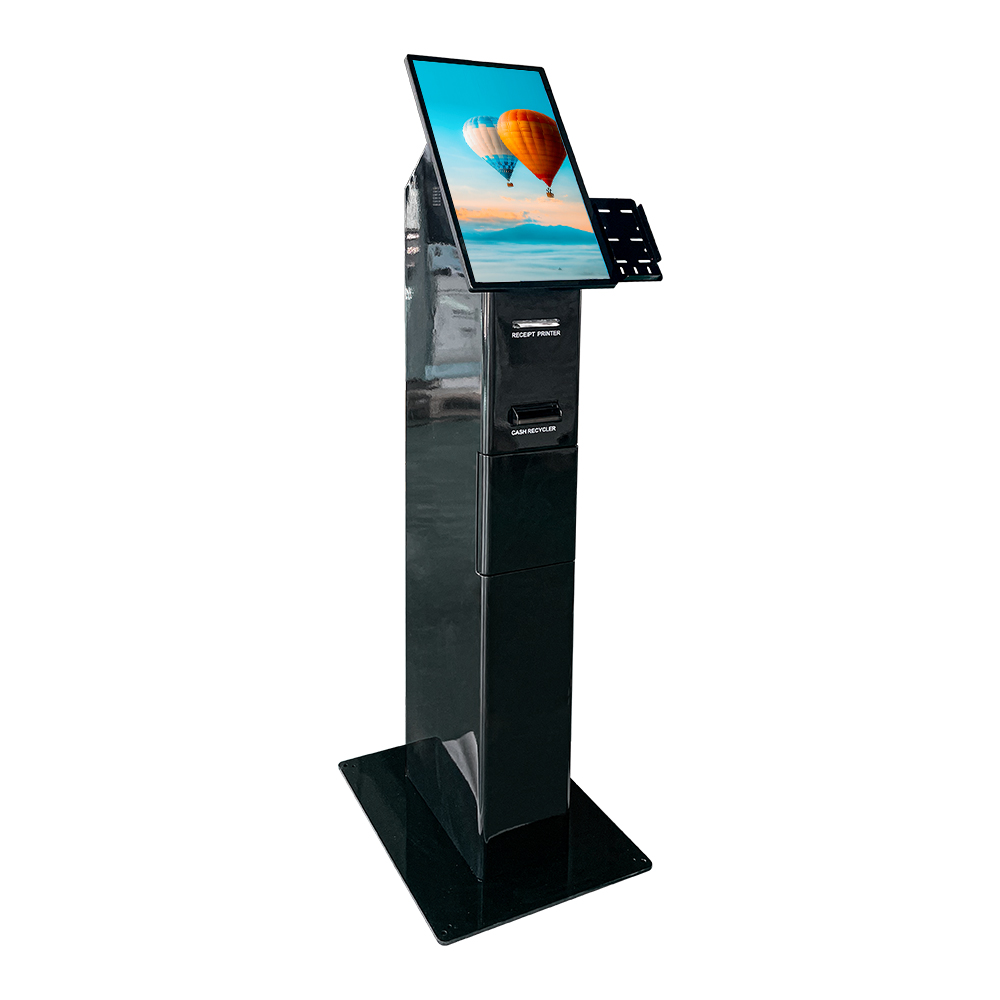
Screen reach can be fixed in software and layout. Payment and cash hardware reach is fixed by chassis architecture, so pedestal design, side-reach obstruction and service-access openings must be decided before tooling.
| Deployment pattern | Accessibility consequence to check |
|---|---|
| Single-height freestanding pedestal | Works for standing reach; confirm the lower reach limit is met and that a seated user can still reach the payment device |
| Counter-top unit on an existing counter run | Counter depth becomes side-reach obstruction; device height is set by the counter, not by the user |
| Dual-height access lane (seated and standing) | Most robust option; requires the full customer-facing device set to be duplicated at the lower height, not just the screen |
| Wall-recessed or in-wall unit | Recess depth and surround geometry decide knee and toe clearance; retrofit means reworking the wall |
The cash-recycling trade-off. A recycler adds mass, a service door and a note path. That can push the acceptor slot upward, expand the cabinet footprint and push the customer-facing surface further from the user. Specify the slot height and the drawer force as contractual values — "as designed" is not a value you can reject a delivery against.
Acceptance method: a dimensioned drawing showing the finished floor line, the reach limits marked on the drawing, and the installed height of every customer-facing device, signed by the OEM before PO and re-measured on site after installation.
What should be in the file before you release the PO?
Hold four artefacts:
- A dimensioned drawing with reach limits marked against the finished floor line, covering every customer-facing device.
- A software accessibility conformance report covering the closed-functionality path — screen reader, audio, input alternatives.
- A provision-by-provision mapping to the rules your jurisdiction enforces, with the edition cited.
- A signed attestation from the OEM confirming the supplied configuration matches the submitted drawing.
Be precise about what a conformance report proves. It speaks to the software and content layer. It says nothing about reach range, knee clearance, tactile keys, actuation force or the installed environment — the items most likely to fail a site review.
Three procurement-mechanics items stall awards more often than the hardware does: who signs the accessibility attestation, whether the OEM will issue a letter on letterhead confirming the shipped configuration matches the submitted drawing, and how a post-install deviation gets corrected. Settle all three before the PO, not after delivery.
| Sign-off line item | Owner | Evidence |
|---|---|---|
| Reach limits vs. finished floor line | OEM drawing / installer measurement | Signed drawing + site photo |
| Clear floor space | Operator / site designer | Site plan |
| Operable-parts force values | OEM | Test sheet with measured values |
| Screen-reader task test | Operator with independent tester | Timed test script and results |
| Alternative access procedure | Operator | Written procedure with service hours |
What does getting this wrong cost?
The cheap failure is a documentation gap caught at bid stage — a revised drawing, a delay of days. The expensive failure is a delivered fleet that fails a site accessibility review because the payment slot sits above the reach limit once the floor was raised. That becomes plinths, remounting, reinspection and a rollout delay measured against a live store-opening schedule.
On enforcement exposure, keep it factual: the Department of Justice enforces the ADA and can investigate, litigate and seek civil penalties. The DOJ's authority to do so is described in published ADA kiosk guidance, for example adakiosks.com/ada-for-self-service . Do not let anyone quantify your exposure for you unless they can source it — and note that an enforcement action is the operator's regulatory risk, not a warranty event.
The commercial argument is straightforward: accessible design is a one-time engineering decision at OEM stage versus a per-site recurring retrofit cost across the rollout. That comparison is the whole ROI case, and it is decided at drawing stage.
Which deployment details do buyers most often get wrong?
- Reach measured before floor finish, then never re-measured.
- Payment device height set by an existing counter run rather than by the user's reach.
- Screen-reader path tested by the party who built it.
- Headset jack placed outside seated reach.
- Cash drawer and recycler door force never measured at all.
- Alternative access documented as a sign rather than a staffing procedure.
- Conformance report treated as proof of physical accessibility.
One rule resolves most of them: accessibility is a site measurement plus a signed drawing, not a datasheet claim.
FAQ
Is there such a thing as an ADA certified kiosk?
No. There is no certification body that issues an "ADA certified kiosk" mark, so a vendor claiming one should be asked what document they actually mean. What exists is documented evidence mapped to specific provisions — dimensioned drawings, force measurements, a software conformance report — plus verification on site.
Does a kiosk still need to be accessible if staff can help customers instead?
Staff assistance can serve as alternative access where a task genuinely cannot be completed independently, but it must be reliably available during the same service hours and documented as a procedure. It is not a substitute for specifying accessible hardware in the first place, and it does not remove the design obligations.
Do cash recyclers and note acceptors have their own ADA requirements?
No provision names cash recyclers specifically. The practical answer is that the recycler door, note acceptor and coin cup get tested against the reach-range and operable-parts provisions that do apply, with the protocol and result documented. Silence in the standard is not permission — it shifts the burden of proof to your specification.
What reach range applies to a kiosk screen and card reader?
The limits come from the reach-range provisions of 36 CFR part 1191, as adopted and enforced in your jurisdiction. Ask your AHJ or counsel to confirm the edition that applies to your installation, quote the exact figures from that edition into your specification, and mark them on the OEM drawing against the finished floor line.
If we deploy in both the US and EU, do we need ADA and EAA compliance separately?
Yes — they overlap but are not identical, and the EAA has applied to covered products and consumer services since 28 June 2025, with transition treatment for certain existing self-service terminals. Design one chassis against both sets of provisions and have the drawing reviewed against each before tooling, rather than treating one as a proxy for the other.
Next step: get the drawing before the price
If you are at validation stage, the useful conversation is not a price list — it is the drawing. Ask us for the ADA-oriented specification sheet and a sample or quote for your kiosk project, including the dimensioned drawing package with the finished floor line and reach limits marked, the measured operable-parts force values, and the slot-height values for whichever cash module your configuration uses.
Send your solicitation or accessibility requirements list with your target deployment count and timeline, and we will return the specification sheet, the drawing package and a sample or quote for your configuration. Tell us where the floor build-up is still undecided — that is exactly the variable that decides whether the delivered unit passes on site.