
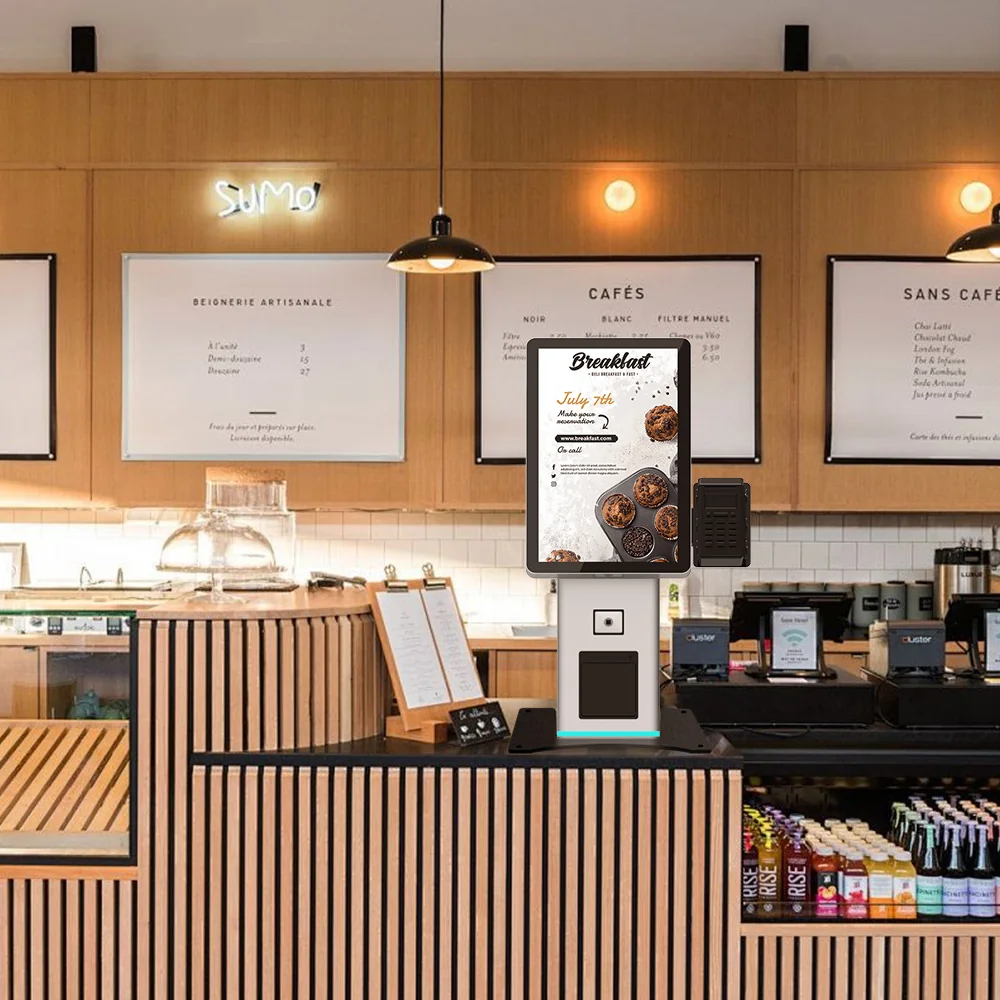
Quick answer: The short answer: six lines decide whether a badge printing kiosk enclosure survives a season — IP test scope, rigging and tie-down cycle count, thermal path and filter service access, screen contrast at your measured venue illuminance, badge-slot reach height, and the acceptance test you witness before shipment. Write all six into the purchase order. A supplier figure that arrives without a report naming the tested configuration is a claim, not a specification.
Overview
The short answer: six lines decide whether a badge printing kiosk enclosure survives a season — IP test scope, rigging and tie-down cycle count, thermal path and filter service access, screen contrast at your measured venue illuminance, badge-slot reach height, and the acceptance test you witness before shipment. Write all six into the purchase order. A supplier figure that arrives without a report naming the tested configuration is a claim, not a specification.
This page turns venue conditions into nine checks you can put in a PO and test at acceptance. It is written for the facilities engineer, rental fleet owner or integrator specifying six to ten or more units per deployment. Printer brand, badge template software and queue app are deliberately excluded: those get chosen after the enclosure is frozen, because the enclosure sets the print engine’s duty cycle, the service access your crew actually gets, and whether the unit can be re-crated for a second and third show.
The nine checks, in the order they bite
- IP rating — what the number covers and what it does not
- Transport, centre of gravity and repeated rigging
- Thermal path, intake design and dust
- Screen brightness and glare at venue illuminance
- Interaction height and reach envelope
- Service access, fasteners and door cycles
- Media handling and print-bay cleaning
- Power, data and network strain relief
- Witnessed acceptance and a fill-in spec sheet
Vendor comparison articles in this category rank check-in speed, software and per-event cost, and reduce the enclosure to a phrase like “sleek iPad kiosk”. That is the gap this checklist fills: none of those pages gives you a testable line, and none explains why a higher ingress rating can quietly hurt a direct-thermal print engine.
1. IP rating: a tested configuration, not a property of the product family
An IP class describes one as-built configuration under one test setup — door closed, seals in the condition they were in on the test day, cooling path running or not running as specified. Before you accept a number, request the lab report and read three things: the exact configuration tested, whether the unit was powered with cooling active, and whether the rating is claimed to survive service-door open/close cycles.
The trade-off is specific to this product category. A direct-thermal print engine needs airflow to reject heat, so the intake and exhaust are also the dust and humidity entry points. A cabinet sealed hard enough to raise its IP number can derate printer duty cycle instead of protecting it. Ask which pressure regime the design uses: filtered intake with positive pressure keeps carpet dust and card-stock debris out of the optics and the print bay; negative pressure pulls show-floor air straight through the electronics.
Also separate outside from inside. Media debris — card stock dust and cut edges — accumulates inside the printer bay regardless of what the enclosure’s outside rating says. Ask how that bay is cleaned between events without opening the secure compartment on the show floor.
We do not publish an IP class, MTBF or rigging-cycle count for badge-printing configurations until a per-configuration test report exists. Treat any competitor figure without a report scope the same way you treat ours.
For category sizing only, with its limitations stated: Dataintelo’s event badge printing kiosks report puts the market at $2.8 billion in 2025, projected to $5.2 billion by 2034 at 7.3% CAGR, with the hardware segment at $1.19 billion and 42.5% share ( dataintelo.com ). The publisher does not disclose its methodology in the excerpt, so use it to size the category, not to justify a spec line.
2. Transport and repeated rigging: the failure mode nobody writes into the spec
A rental fleet’s real cycle is crate in, casters across a carpet threshold and a cable ramp, uncrate, power up, print for two days, service door opened a dozen times, crate out. Enclosure failures concentrate in that loop, not in the show itself.
- Centre of gravity and footprint. Ask for the CG height and the tip angle at which the unit is stable. A kiosk with printer mass low and ballast in the base handles differently from a top-heavy display-first design. Test the ramp at your own dock rather than accepting a drawing.
- Castors versus feet versus skid plates. Castors earn their place only if wheel diameter clears your venue’s carpet thresholds and cable ramps. Otherwise specify levelling feet plus a defined pallet-jack path.
- Crate and tie-down. Specify reusable foam-in-place or EVA inserts, external ratchet-strap points tied to the structural frame rather than the skin, and a crate rated for the number of round trips you actually plan — not for one.
- Fasteners. Thread-forming screws into sheet metal lose clamp load after repeated service. Specify threaded inserts or machine screws on every panel that opens.
- Connectors. Strain relief on printer data and power leads so a crate impact cannot load the printer port.
Then write a three-cycle rig test into acceptance: crate, transport over a rough route, uncrate, power up, print, repeat. Record pass/fail with photographs. That single test tells you more about redeployment count than any brochure.
3. Thermal path and dust: design the intake, not just the filter
Ask three questions and put the answers in the PO:
- Where does intake air enter, and is it filtered before it reaches the printer and the display electronics?
- Can venue staff change the filter between events without a key to the secure compartment or breaking a seal?
- What filter class is specified, and what is the replacement interval expressed in events rather than months?
Require a spare-filter part number in the quote. A filter that can only be serviced by the integrator converts a low-cost consumable into a service call.
On duty cycle, ask for the stated prints-per-hour and the cool-down behaviour at the highest ambient temperature your halls reach — and require the test conditions in writing. An operating range copied from a printer datasheet is not an enclosure specification; the enclosure number has to be measured at the intake.
4. Screen brightness and glare: specify readable contrast, not nits
Measure before you specify. Take a lux meter into the actual hall at the hour the show opens, at the planned kiosk position and facing, and record the reading. That is the number you write the spec against.
Then ask the supplier for contrast performance at that illuminance, plus the bonding method (optical bonding versus air gap) and whether the surface treatment is anti-glare or anti-reflective. A nits figure alone does not predict legibility under a glass roof or a spotlight aimed at the stand next door.
Viewing angle matters more for badge kiosks than for wall-mounted signage: the attendee leans in to scan a QR code and looks up to read instructions. Ask for the angle at which contrast falls below usable. Portrait versus landscape changes both the glare path and the reach height, so fix orientation before the enclosure drawing is frozen. As a cheap sanity check, request photographs of the assembled unit under at least two lighting conditions — spotlight and diffuse skylight.
5. Interaction height and reach envelope
Map three heights against your attendee population: screen centre, scan target, and badge delivery slot. The slot is the one most often set for a standing adult and unusable for a seated attendee or a shorter delegate.
Specify forward reach and floor/knee clearance for a front approach, then check whether side approach is possible on your floor plan. A kiosk that passes reach measurements but blocks side approach fails in service.
Attach a reach-envelope drawing to the PO as a controlled, revision-numbered document so a later enclosure revision cannot silently raise the slot. Accessibility requirements differ between US and EU markets and are enforced locally; verify the applicable rules with the authority having jurisdiction or the venue’s compliance contact before freezing dimensions. We do not publish accessibility dimensions as compliant until they are verified against the rules that apply at your site.
6. Service access and fastener durability
Count the times your crew will open each panel in one season. Panels that open weekly need machine screws or inserts, captive hardware, and a defined stowage point for the fixings. Specify door alignment tolerance and full-perimeter seal contact as an acceptance item, because a door that stops sealing after a month of shows is a dust path, not a cosmetic defect.
Decide the lock policy early: which compartment the venue holds a key to, which stays with the integrator, and how the printer bay is reached without exposing the secure side. Wall-mounted configurations such as the US-K215WM wall-mount self-service kiosk shift this calculation, since service access comes from the front and floor space disappears — a real advantage in narrow check-in lanes.
7. Media handling and print-bay cleaning
Specify the media thickness range the feeder must accept, how a jam is cleared without tools, and where the waste is captured. Card-stock dust is abrasive and settles on rollers, sensors and the print head path; a bay you can vacuum in two minutes between shows extends duty cycle more than any sealed-cabinet claim. Ask for a cleaning procedure in the manual that names the interval in badges printed, not in weeks.
8. Power, data and network strain relief
Route printer data and power through a strain-relieved, labelled harness and specify the connector type at the printer end. On connectivity, test on the network type you will use at the event before deployment day: USB is the most reliable option and removes dependency on venue Wi-Fi, Ethernet is the sensible middle ground for fixed installations, and Wi-Fi introduces a failure point you cannot control ( VenueSight, May 2026 ). Leave a defined bay for a UPS or power conditioner, and decide whether the enclosure needs a lockable network compartment.
9. Acceptance before shipment: four witnessable tests
- Enclosure and finish: door alignment, seal contact on all four sides, edge condition of paint and applied film, badge-slot deburring.
- Functional print run at your specified media type and thickness, fully assembled, cooling running.
- Rig test, three cycles in the crate you actually purchased, with cosmetic and functional findings recorded.
- Legibility and measurement set: photographs at your target illuminance plus the reach-envelope sheet signed against the drawing revision.
Require the report to carry serial number, date, test conditions and the name of the person who signed it. No report, no shipment.
For deployments scaling per VenueSight’s sizing guidance — kiosks as the primary method at six to ten units for a 1,500–5,000 attendee event, with a staffed exception station — the acceptance report is what keeps nine identical units actually identical.
Specification sheet: fields to confirm per configuration
Keep this as a fill-in table. A blank cell is a negotiating point, not a defect.
| Field | What to require | Status |
|---|---|---|
| IP test scope | Report reference, lab name, tested configuration, cooling running or not | Report attached / to be confirmed |
| Ambient operating range | Measured at intake, with test conditions | Report attached / to be confirmed |
| Filter class and interval | Class, interval in events, spare part number | To be confirmed |
| Screen contrast | Contrast at a stated illuminance, bonding method, AR/AG treatment | To be confirmed |
| Reach envelope | Drawing number and revision, screen/scan/slot heights | To be confirmed |
| Crate rating | Round trips, insert type, tie-down points | To be confirmed |
| Service fasteners | Inserts or machine screws per opening panel | To be confirmed |
| Change control | Any revision to enclosure, printer model or panel hardware re-tests the affected rows | To be confirmed |
Compact footprints often solve the reach and lane-width problem simultaneously — the US-K156 small-footprint tabletop kiosk is the configuration to compare when your check-in lanes are tight. Where the same venue also runs cash-handling self-service, standardise crate, fastener and panel conventions across the freestanding cash-handling self-service kiosk so one service kit covers the fleet.
Quick answers to the questions buyers ask late
Does a higher IP rating mean better reliability at a busy event? Not automatically. The rating describes a tested configuration; if it was achieved by restricting airflow to a direct-thermal engine, duty cycle can fall. Ask for the test scope and the duty-cycle conditions together.
How bright does a badge kiosk screen need to be? There is no universal nits answer. Measure lux at the kiosk position at show opening, then require contrast performance at that figure, with the bonding method stated.
How many kiosks for a 2,000-person conference? VenueSight’s published guidance places six to ten units as the primary method for 1,500–5,000 attendees, with pre-printed badges for VIPs and a staffed exception station. Use it as a starting ratio and adjust with your own arrival-curve data.
What belongs in a rigging test report? Cycle count, crate configuration, route description, cosmetic findings, functional result after each cycle, photographs, serial number and signature.
Can a fully sealed enclosure overheat the printer? It can, which is why the intake design and cool-down behaviour at your hall’s peak ambient temperature need to be specified and tested, not assumed.
Next step
Request the enclosure and environmental specification checklist plus a configuration-based sample quote. Send your deployment count, venue conditions and the six lines you intend to hold us to — we will return a configuration with every unverified row marked “to be confirmed” rather than filled with a number.
Request a configuration-based quote on the US-K215WM wall-mount enclosure , or start from the compact US-K156 enclosure if lane width is your binding constraint.