Quick answer: Pick by duty cycle, not by unit price. Infrared suits sealed, controlled-light indoor units where a thick protective overlay and low unit cost matter. Projected capacitive suits exposed surfaces, daylight, gloved or wet-finger users and unattended 24/7 duty. Two quotes at the same price do not carry the same cost — the gap appears later, in retrofits, downtime and support load.
Overview
Pick by duty cycle, not by unit price. Infrared suits sealed, controlled-light indoor units where a thick protective overlay and low unit cost matter. Projected capacitive suits exposed surfaces, daylight, gloved or wet-finger users and unattended 24/7 duty. Two quotes at the same price do not carry the same cost — the gap appears later, in retrofits, downtime and support load.
That is the whole decision in one paragraph. Everything below is the evidence you need to defend it in a procurement file.
The one rule that prevents an expensive mistake
Write your duty cycle before you open either quote. Six lines, one page:
- Hours per day the screen is powered and touchable.
- Siting: fully covered, shaded, or exposed to sun, rain and wind.
- Hand condition at the moment of touch: bare, gloved, wet, greasy or contaminated.
- Cleaning agents and frequency, including who applies them.
- Contamination load: dust, food grease, road grit, salt.
- Vandal exposure and whether staff are present.
Any supplier who cannot answer your six lines with a test method rather than an adjective is selling you a component, not a solution. This is the same logic that governs the wider cost of kiosk downtime and mean-time-to-repair — touch input is one of the fastest routes from a minor fault to a unit that is technically powered but commercially dead.
Duty-cycle map: where each technology fails first
Use this as a starting filter, then verify each cell against your own sites. The “what to ask” column is the part most buyers skip.
| Deployment condition | Projected capacitive (PCAP) | Infrared (IR) | Failure mode to plan for | What to ask the supplier to prove |
|---|---|---|---|---|
| Covered indoor lobby, bare hands | Strong fit | Workable fit | Surface wear and cleaning damage, not sensing failure | Surface hardness and chemical-resistance claims with the test method named |
| Shaded semi-outdoor vestibule | Strong fit with anti-glare, high-brightness panel | Usable, but light-dependent | Readability complaints before sensing complaints | Optical bonding method and anti-glare treatment documented, plus a site-photo readability test |
| Direct-sun curbside pad | Preferred direction | High risk of light interference | Touch misreads and unreadable content at peak sun angles | Worst-angle sunlight comparison at your site, both units, same content |
| Wash-down / QSR front of house | Fit depends on sealing and bonding | Open optical path is a liability | Liquid ingress at the aperture, not at the panel | Ingress rating stated for the complete assembly, not the panel alone |
| Gloved industrial / warehouse | Conditional — needs glove-mode configuration | Generally tolerant of gloved input | Missed touches reported as “screen broken” | A written glove/wet-finger test protocol using your glove lot |
| Unattended high-vandal pad | Fit depends on front glass and bonding | Exposed optical bezel is a target | Physical damage and debris in the light path | Front-surface impact and sealing verification for the assembled unit |
Two published technical references are worth reading before you finalise the shortlist. ViewSonic’s touch panel type library states that infrared touch panels can struggle under direct sunlight due to light interference, while capacitive touchscreens — particularly with anti-glare coatings and high-brightness panels — perform better in outdoor and semi-outdoor conditions such as digital signage and kiosks. Kiosk Industry’s component overview lists projected capacitive, analog resistive, surface capacitive, infrared and surface acoustic wave among the main touch technologies, and notes that overlays are frequently bought separately and applied to a display, which is a standard approach for larger IR touchscreens. Both are sourcing leads, not approvals for your specific site — confirm on your own hardware.
Gloved and wet-finger input: specify it, don’t assume it
The real question is not “does it support gloves” but what the user’s hand is actually like at the moment of touch: bare, nitrile-gloved, wet from rain, or carrying food and fuel residue. Those are four different input conditions, and a single datasheet line cannot cover all four.
The variables that decide the outcome are mechanical and electrical:
- Controller mode and configurability. Whether glove support is a firmware setting the operator can change, or a hardware variant fixed at the factory.
- Signal-to-noise headroom under moisture. Controller vendors publish the trade-offs here. Microchip states that its maXTouch M1 series boosts touch signal-to-noise ratio by up to 15 dB versus previous generations and is engineered for sensors exposed to high capacitive loads and display noise coupling — a useful reminder that SNR headroom is a purchasing criterion, not a footnote. Treat the figure as vendor-stated and test it in your conditions.
- Scope of the setting. Per unit, per model, or per fleet. A per-unit fix does not scale across 200 sites.
- Threshold drift with contamination. Films of grease and water change the electrical environment; ask how the controller compensates and whether it recalibrates automatically.
Put the test in the contract, not in a meeting note. A workable protocol: same glove lot, same wetness level, same lighting, minimum 100 touches per condition per unit, pass/fail recorded against a threshold you set in advance. Until that runs, “supports gloves” is a marketing statement.
Enclosure, sealing and mounting: the cost that hides in the bezel
Touch technology cannot be rated in isolation. The overlay construction, whether the touch layer sits in front of or behind the cover glass, the flush-front versus recessed bezel, and the gasket path around the aperture together determine the assembly’s real ingress performance. A panel’s own rating tells you very little about what happens once it is bonded into a housing.
Three consequences for the purchase decision:
- Cleaning chemistry. Ask for chemical compatibility for the specific sanitising agents your sites use, covering both the front surface and the bonding layer — not just the glass.
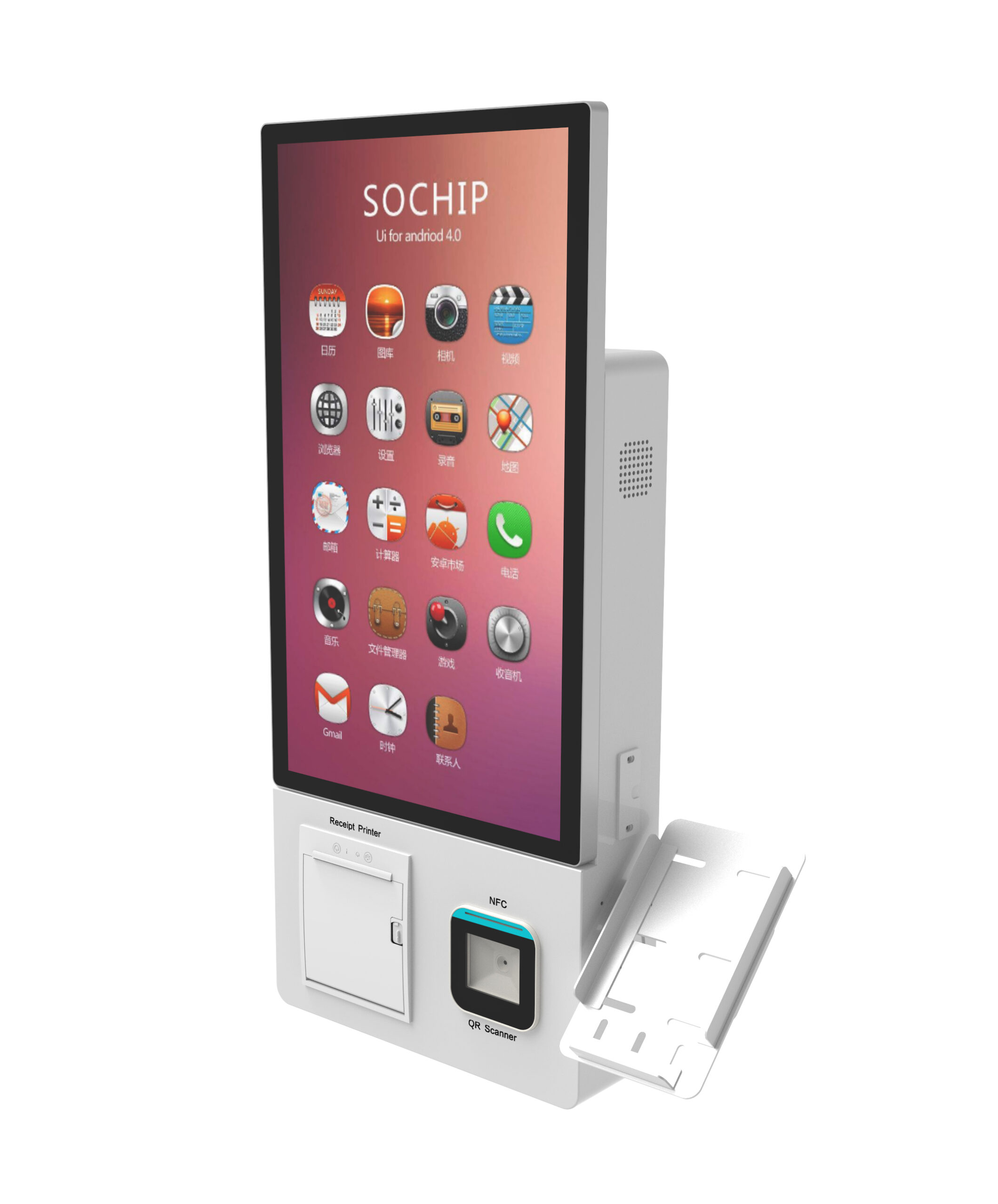
- Mounting choice changes the exposure. A wall-mount build such as the wall-mount self-service kiosk may sit under an overhang where a freestanding cash-handling unit like the freestanding cash-handling self-service kiosk faces rain directly, even on the same campus.
- Retrofit is a housing change, not a screen swap. An IR assembly and a PCAP assembly generally do not share the same aperture cut. Changing your mind after tooling means new housings across the fleet. Decide the technology before the enclosure is signed off.
Optical clarity, sunlight and peripheral interference
Readability is driven by brightness, anti-glare and anti-reflective treatment, and whether the stack is air-gapped or optically bonded. Air gaps create internal reflections and parallax; bonding reduces both but adds process cost and a second supplier to qualify.
Interference deserves its own line item. IR touch emits and senses infrared light, so any 3D sensing, camera, barcode scanner or IR peripheral mounted near the screen may interact with it. Document every peripheral you plan to mount in the same bezel and test them co-located, not sequentially.
A field check that needs no instrument: photograph the same screen content under your site’s worst sun angle on both options and compare legibility side by side. Legibility under real conditions beats a lux figure quoted from a lab.
Field service, spares and replaceability
Ask what a field technician actually swaps when touch input fails: the overlay alone, the bonded glass assembly, the controller board, or the entire front unit. Then ask what skill level each of those requires.
This is where equal quotes separate. If the touch layer is captive to a full assembly, every incident becomes an assembly-level replacement — longer mean-time-to-restore and a higher cost per incident, even when the initial unit price looked identical. A supplier that sells overlays and controllers as separate line items gives your service model room to work. That is also the discipline behind spare-parts and end-of-life planning across a kiosk fleet : the parts policy you accept at PO time sets your service cost for the next five years.
One caution on numbers: any MTBF, service-life or operating-temperature figure a vendor supplies is supplier-stated. It is a claim to be verified against your duty cycle, not a specification you can pass on to your own customer without testing.
Build the TCO number yourself
Do not accept a vendor’s total-cost comparison. Build your own, and only compare options costed against the same enclosure, the same duty cycle and the same service model — otherwise you are comparing two different products. Worksheet structure:
| Line item | PCAP option | IR option | Source |
|---|---|---|---|
| Unit cost (screen + controller) | (buyer) | (buyer) | Quotation |
| Spare overlay / controller cost | (buyer) | (buyer) | Supplier price list |
| Field-service events per unit per year | (buyer) | (buyer) | Field trial log |
| Labour and travel per event | (buyer) | (buyer) | Your service contract |
| Downtime cost per event | (buyer) | (buyer) | Your own revenue model |
| Enclosure modification / retrofit risk | (buyer) | (buyer) | Engineering estimate |
| End-of-life replacement horizon | (buyer) | (buyer) | Supplier roadmap, verified |
Keep every cell buyer-supplied or supplier-quoted. A worksheet with placeholders and a defined method is more defensible in a procurement review than a finished number built on someone else’s assumptions.
Spec-sheet clauses to lock before the PO
Get each of these in writing, then attach the verification method you will accept:
- Touch technology and controller part family — verified by factory acceptance test.
- Surface hardness and chemical resistance, with the test method named — verified by third-party test report.
- Ingress protection stated for the complete assembly , not the panel — verified by assembled-unit test, not component datasheet.
- Glove and wet-finger performance stated as a test condition — verified by your own on-site trial.
- Operating and storage temperature, and the current draw at temperature extremes — verified against your siting data.
- Spare-part availability and firmware access terms — verified against the supplier’s published policy.
- Warranty exclusions, in plain language, and the field-trial return terms.
Any clause the supplier will not put in writing is a risk you are accepting, not a feature you are buying.
Run the 30-day field trial before releasing volume
- Place one unit of each option at your worst real site, not the cleanest one.
- Log daily: touch errors, unresponsive events, cleaning damage, user complaints, service interventions.
- Define exit criteria before the trial starts — an error-rate threshold, a maximum number of service events, and an operator acceptance measure.
- Review against those criteria and decide. A trial without pre-set thresholds produces debate, not a decision.
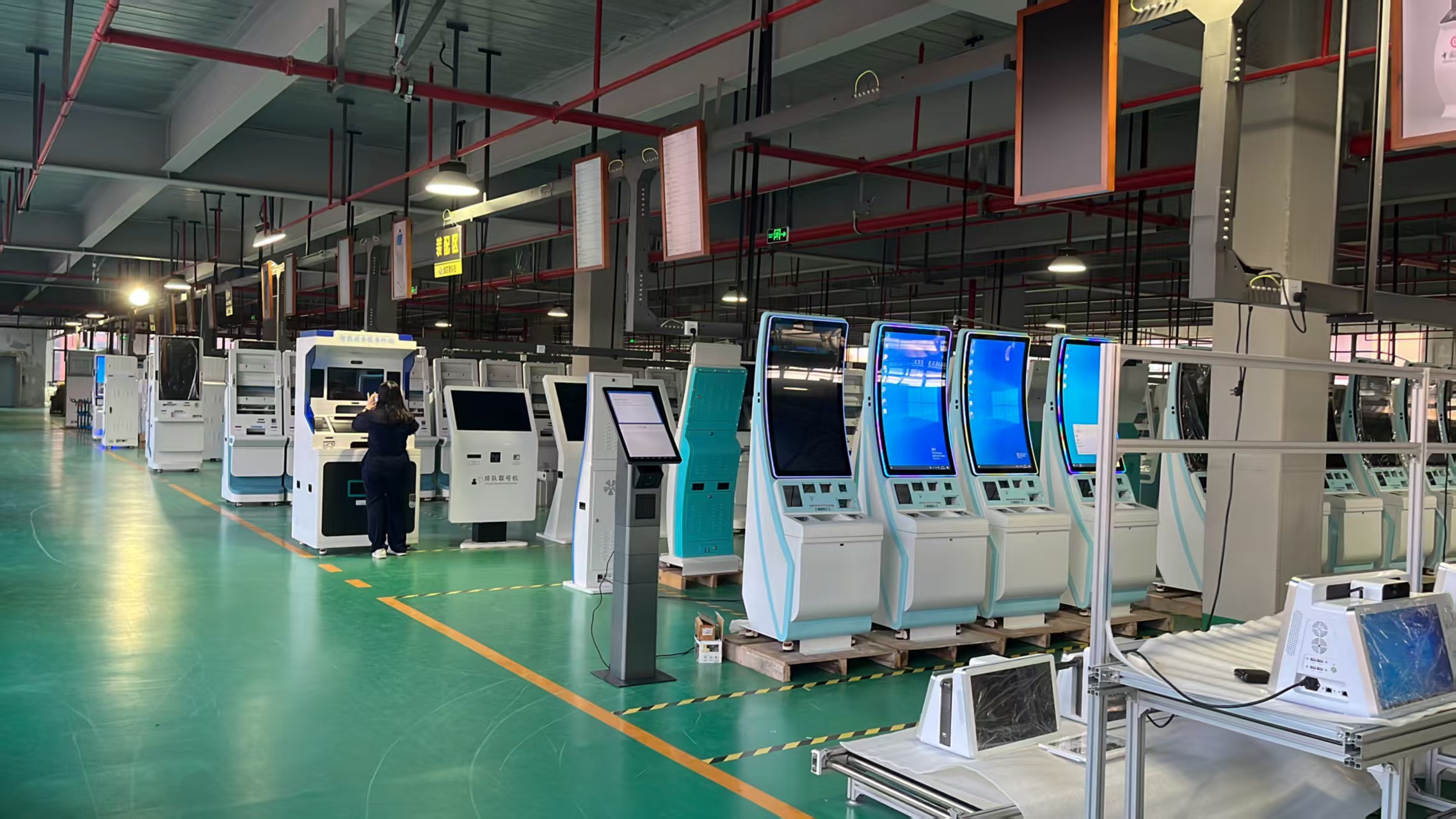
If your shortlist spans multiple form factors, verify the touch choice against the enclosure you will actually buy — a curved-screen self-service kiosk with multiple mounting options constrains the overlay and bezel differently from a flat-front unit, and the sealing path changes with it.
FAQ
Is projected capacitive or infrared better for an outdoor kiosk in direct sunlight?
PCAP is the safer starting point where the screen faces direct sun, because IR panels can struggle when ambient infrared interferes with the light path. PCAP readability still depends on brightness, anti-glare treatment and bonding. Confirm with a worst-angle, on-site photo comparison before committing.
Do capacitive kiosk touchscreens work with gloves and wet fingers?
Often, but only if the controller and configuration support it — and only for the glove and moisture conditions you actually tested. Specify glove mode as a configurable setting, state the wetness condition, and require a 100-touch-per-condition test with your own glove lot.
Can I swap an infrared touch panel for a capacitive one without changing the enclosure?
Rarely. The two assemblies typically need different aperture cuts and gasket paths. Treat a late technology change as a housing redesign across the fleet, and settle the touch choice before the enclosure is released to tooling.
How do I compare the total cost of ownership of PCAP versus IR touch over five years?
Cost both against the same enclosure, duty cycle and service model. Use unit cost, spare overlay and controller cost, field-service events per unit per year, labour and travel, downtime contribution, and end-of-life replacement. Keep every input buyer-supplied or supplier-quoted, and validate the service-event estimate with a field trial rather than a datasheet.
Request the touchscreen and environmental spec sheet
Request the touchscreen + environmental spec sheet, comparison matrix, and a sample unit for field trial. Send us your duty-cycle lines — siting, hours, hand condition, cleaning agents, contamination load — and we will map PCAP and IR options against them, including the enclosure sealing and mounting implications for your build.
Start from the touchscreen and enclosure configuration options in our product catalog , or tell us the form factor and we will return the matching spec sheet and a field-trial unit for the worst site on your list.