Quick answer: Three decisions made before any model comparison lock down the technical data sheet: the location (indoor, semi-outdoor or outdoor), the order volume at peak hour, and the daily cleaning method with the product actually used by your teams. These answers set the required protection rating, the useful screen brightness and the chassis material. A model whose data sheet does not answer these three points fails at validation — installation check, first cleaning, first busy lunch — and not at quote signature.
Overview
Three decisions made before any model comparison lock down the technical data sheet: the location (indoor, semi-outdoor or outdoor), the order volume at peak hour, and the daily cleaning method with the product actually used by your teams. These answers set the required protection rating, the useful screen brightness and the chassis material. A model whose data sheet does not answer these three points fails at validation — installation check, first cleaning, first busy lunch — and not at quote signature.
Indoor or outdoor: the table that decides before negotiation
The question is not “is this model attractive” but “what written proof do I have that it will hold up where I am going to install it”. Use the rows below as a grid for questioning the supplier, not as a list of values to copy from a brochure.
| Criterion | Indoor use (room, hall, self-service area) | Outdoor or semi-outdoor use (terrace, pedestrian drive-through, kiosk) |
|---|---|---|
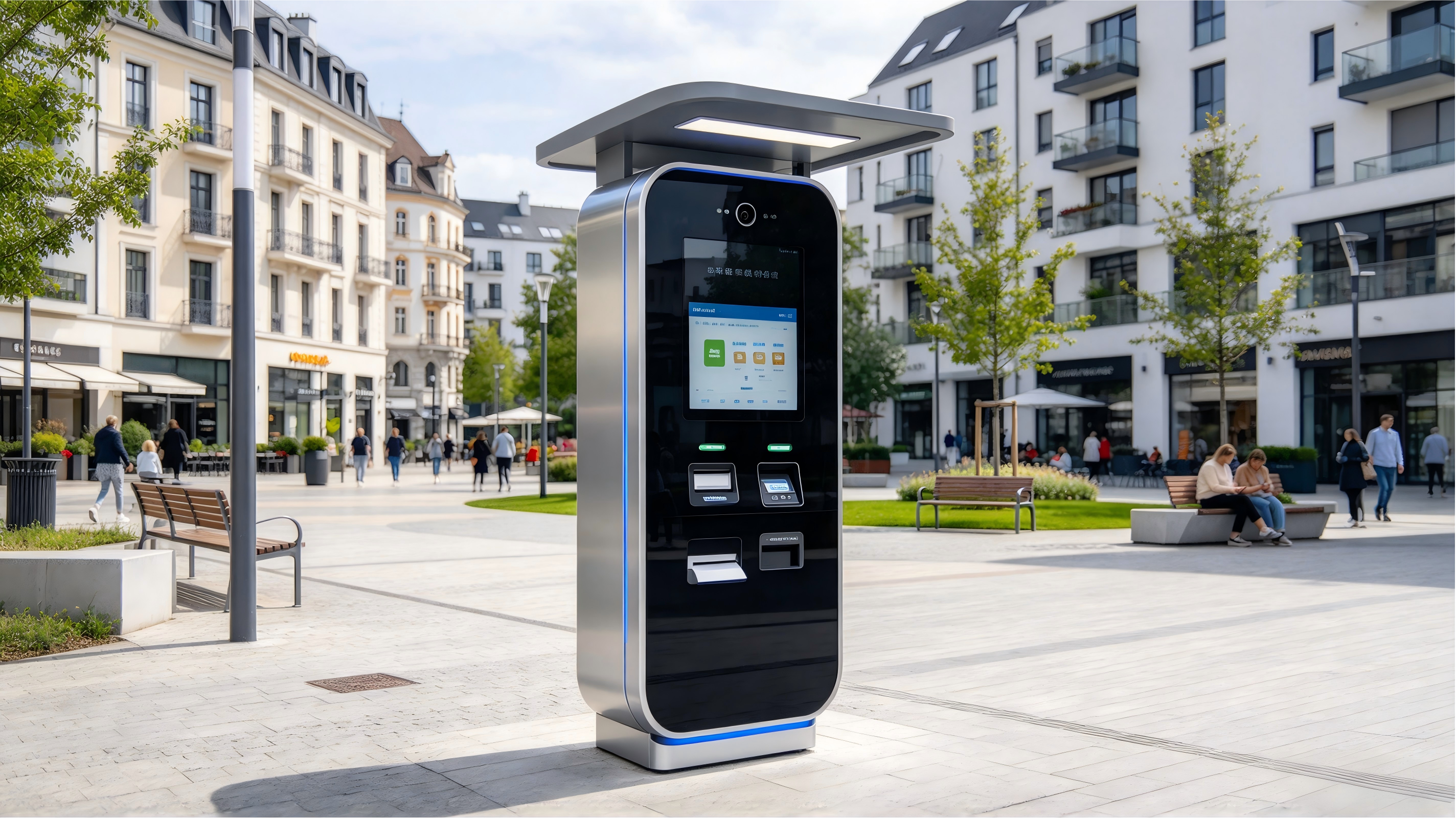
| Protection rating | Ask for the actual IP level of the delivered model and the protected areas (printer bay, reader, cable passages). | Require the IP test report for the exact model, not the one for the range; specify the intended cleaning action. |
| Screen and brightness | Value in cd/m² sufficient to remain legible under the room lighting; to be checked at the actual location. | Same requirement, but read at the most exposed time, with reflections and direct sunlight; ask for the measurement condition. |
| Chassis and finish | Painted steel or composite depending on the cleaning product; check edges, thickness and removability of panels. | Stainless steel or documented anti-corrosion treatment; joints, connector covers and water drainage to be examined closely. |
| Condensation and frost | Secondary point, except in damp areas (dishwashing area, laundry). | To be addressed explicitly with the supplier: cold screen, humidity, freeze/thaw cycles. |
| Mounting | Floor-standing, counter or wall-mounted depending on available centimeters and customer flow. | Floor mounting or anchoring to be validated; wind and impacts are structural constraints. |
| Maintenance access | Paper roll and jams accessible without tools, on the operator side. | Same requirements, plus a resistant lock and access that does not expose the electronics to rain. |
| Exposed payment | Integrated reader or external terminal depending on your acquiring contract. | Check reader protection and your provider’s policy for an outdoor terminal. |
One point of vigilance often comes up: CE marking is a basic regulatory obligation for placing on the market, not a demonstration of outdoor resistance. The proof that protects you is the IP test report for the delivered model, appended to the quote.
Translate the protection rating into cleaning actions
Standard IEC 60529 is read in two digits: the first concerns solid bodies, the second liquids. An IPX4 corresponds to water splashes from all directions; an IPX5 to water jets from a lance. This distinction is not decorative: it decides what your cleaning team is allowed to do from the first week.
| Stated level | Operational consequence | To have written into the quote |
|---|---|---|
| IPX4 (splashes) | Cleaning with a damp cloth, never with a jet or pressure washer. | Accepted maintenance procedure and product compatible with the finish. |
| IPX5 (jets) | Jet possible provided that connector covers and printer bay remain closed during the operation. | List of areas not to direct at, and IP level guaranteed on the delivered model. |
| Printer area and ticket flap | First area to fail: dust, grease, jammed paper, product infiltration. | Frequency of internal cleaning and availability of seals as spare parts. |
| Card reader and cable passages | Most frequent entry points for water and dirt. | Planned protection and cleaning method around the reader. |
The simplest way to avoid a dispute: have the guaranteed IP level, the acceptable maintenance procedure and the compatible cleaning product written into the quote. A cleaning test with your actual product, on a demonstration unit, is worth more than a line in a technical data sheet.
Three scenarios, three distinct specifications
Hotel: reception, check-in and information
The dominant constraint is service continuity: the kiosk must chain registration, breakfast information and customer orientation without mobilizing the front desk. Require multilingual support, magnetic and contactless card reading, and above all an integration tested with your PMS — tested in front of you, not assumed on the basis of a compatibility list. Our hardware checklist for hotel check-in kiosks details the points to have demonstrated.
Fast food and snack: the constraint is the peak
Here, sizing is based on the busiest hour, not the daily average. A French supplier publishes a simple commercial rule — one kiosk up to 80 tickets per day, two between 80 and 160, three beyond that (Innovorder, page accessed in October 2026) — presenting it as a sizing rule, without a published measurement method: treat it as a starting point for discussion, not as a validated calculation.
Same caution with announced peaks. Iagona mentions points of sale where 80 % of revenue is generated in one hour (23 October 2023), without publishing the measurement protocol: this is exactly the scenario your in-room test must reproduce, with a burst of orders and timing of ticket output. For the payment part, do not redefine cash handling here: our article on the order kiosk with cash payment and change return covers this part separately.
Bakery and small retail: footprint decides
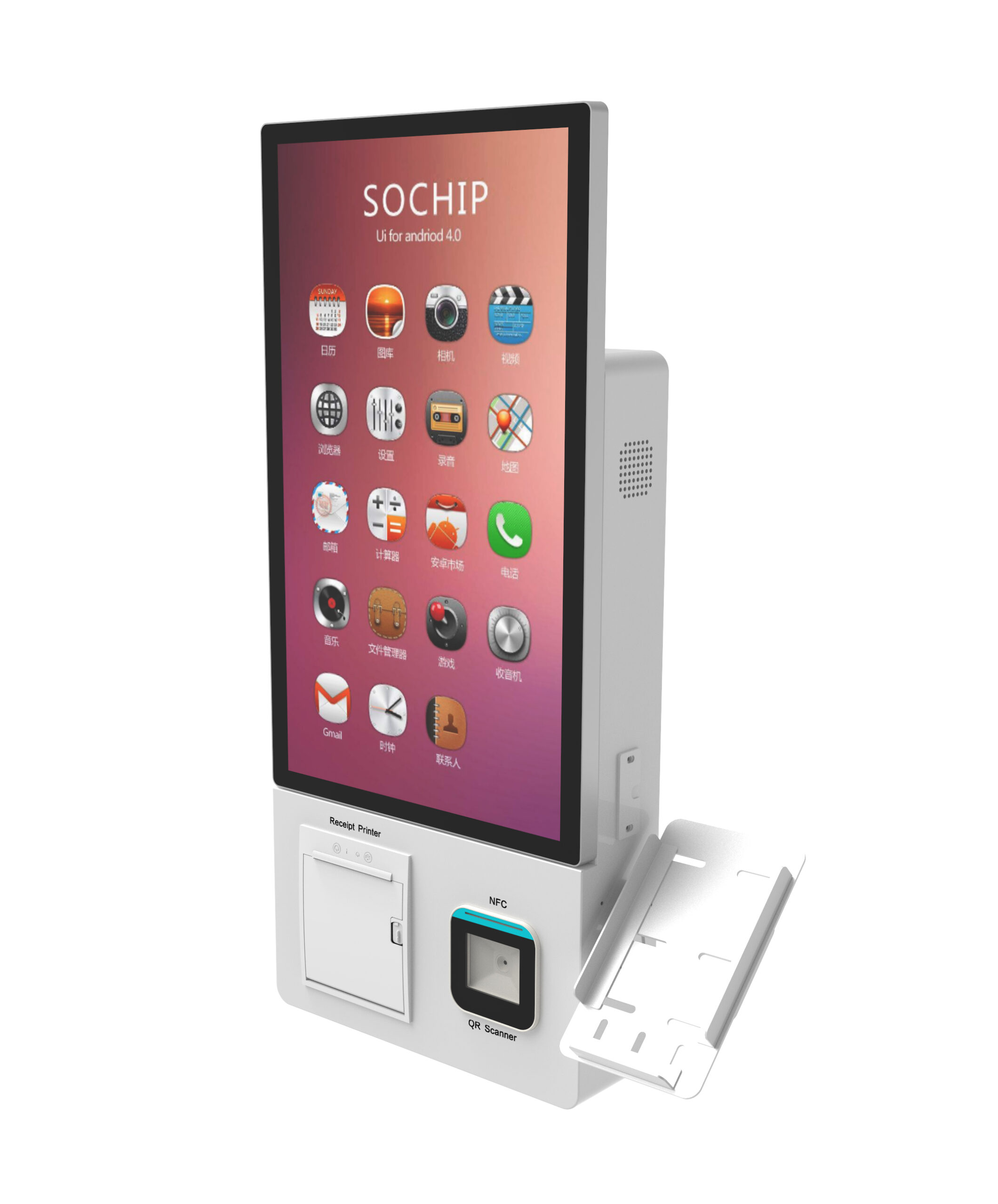
The selection criterion is the number of available centimeters and circulation in front of the unit. Compare three installations before choosing a model: floor-standing, wall-mounted (for example a self-service wall-mounted kiosk ) and compact countertop (like this low-footprint tabletop kiosk ). Then check the passage of a cart or stroller in front of the screen, and the input height for a standing adult as well as for a shorter person.
From parameter to consequence: brightness, chassis, reader
- Brightness: ask for the value in cd/m² and the measurement condition. A value without a condition proves nothing; read the screen at the actual location, at the most exposed time, under operating conditions.
- Chassis: painted steel, stainless steel or composite depending on exposure and cleaning product. Check thickness, edge finish and removability of panels for maintenance.
- Card reader: decide between integrated reader and external terminal depending on your acquiring contract; have your provider confirm the validity of the chosen configuration.
- Printer: paper width, tool-free roll access and behavior in case of a jam during service. As a market reference, a French supplier describes its model with an 80 mm ticket printer (K2 CORP, 4 July 2025): the useful width must appear on your quote, because it determines the format of your tickets.
To prepare before requesting a quote
A complete request shortens validation by several weeks. Check the following before the call:
- Exact location and photos of the site, including the immediate environment (storefront, terrace, entrance).
- Available dimensions in centimeters and circulation around the unit.
- Indoor, semi-outdoor or outdoor, with the planned cleaning method and the product used.
- Number of orders per day and per peak hour, over a complete service.
- Payment methods to accept, and your acquiring provider’s policy.
- Ticket format and mandatory information to print.
- Desired integration: POS, PMS or back office, with the publisher’s name.
- Lead-time constraints: delivery, installation, training, parts availability.
- Warranty, return conditions and intervention time, to be obtained in writing.
Always ask for the technical data sheet of the exact model and the corresponding IP test report, not the range data sheet.
Frequently asked questions
How can I know if an order kiosk will withstand daily cleaning in my room?
Start from your actual action — damp cloth, spray, jet — and ask for the guaranteed IP level as well as the accepted maintenance procedure, written into the quote. Then have a cleaning test carried out on a demonstration unit with your own cleaning product, focusing on the ticket flap and the card reader.
Must an outdoor order kiosk necessarily be IP65 certified?
No general text imposes a specific IP level for a commercial order kiosk: the requirement comes from your site, your insurer and your cleaning method. What matters is the test report for the delivered model, consistent with actual use and with your inspection body’s recommendations for the installation part.
How many kiosks are needed for a service with many orders at lunch?
The rules published by suppliers — one kiosk up to 80 tickets per day, two between 80 and 160 — are commercial benchmarks without a published measurement method. Size based on your actual peak hour, then validate with a timed test: a burst of orders over a complete service gives a more reliable answer than a ratio.
Can an order kiosk be integrated with my POS or the hotel PMS?
Yes, provided that the integration is demonstrated and not simply listed as compatible. Ask for a demonstration with your publisher, a test in your acceptance environment and an integration clause in the quote, with the names of the technical contacts on both sides.
What documents should I request before signing the quote for an order kiosk?
The technical data sheet of the exact model, the IP test report, the declaration of conformity applicable to the model, the accepted maintenance procedure and the warranty and return conditions. Add the installation plan and the list of points to be checked by the inspection body.
Does an order kiosk accept cash and card on the same terminal?
This depends on the chosen configuration: card payment falls under your acquiring contract, while cash handling and change return require a dedicated module. Address both parts separately in your specifications and check the configuration during the test.
From specifications to quote
This guide does not cover two subjects that must be validated by third parties: accessibility for people with reduced mobility and fire safety requirements, to be confirmed by your inspection body according to your premises configuration, and the commercial warranty and return conditions, which have value only when written in the quote. It also does not replace your acquiring provider’s advice on the payment part.
What must appear in black and white before signature: guaranteed IP level on the delivered model, accepted cleaning procedure, integration tested with your POS or PMS, ticket width, parts availability and maintenance lead time. If a supplier cannot provide these elements, price comparison no longer has any purpose.
Request your quote and technical data sheet by attaching the checklist above to your request: we will get back to you with the data sheet for the exact model, chassis and payment options, and the points to be validated on site. You can already consult our floor-standing self-service kiosk with cash handling to frame the hardware configuration, then send us your location, volume and cleaning constraints.