Quick answer: A hotel self-service check-in kiosk is not one product — it is nine separately specifiable hardware modules : display and touch, identity/passport reader, payment terminal, key-card/RFID dispenser, thermal printer, compute/controller, enclosure, mounting, and network/backup. Two of those nine sit inside a regulated path — document capture handles guest personal data, and the payment module sits in the cardholder-data environment — so in US and EU deployments those two modules decide whether your shortlist is deployable at all, and they are the first ones whose written scope statements you should request.
Overview
A hotel self-service check-in kiosk is not one product — it is nine separately specifiable hardware modules : display and touch, identity/passport reader, payment terminal, key-card/RFID dispenser, thermal printer, compute/controller, enclosure, mounting, and network/backup. Two of those nine sit inside a regulated path — document capture handles guest personal data, and the payment module sits in the cardholder-data environment — so in US and EU deployments those two modules decide whether your shortlist is deployable at all, and they are the first ones whose written scope statements you should request. Everything else is a configuration choice driven by your lobby, your arrival peak, and whether anyone is standing behind the desk at midnight.
Treat the specification sheet, not the model name, as the thing you quote. The same base chassis gets reconfigured per property, which is why a component list from a product page tells you very little and a BOM you can fill in and hand over tells you a lot.
Answer first: the 9 modules and what drives each choice
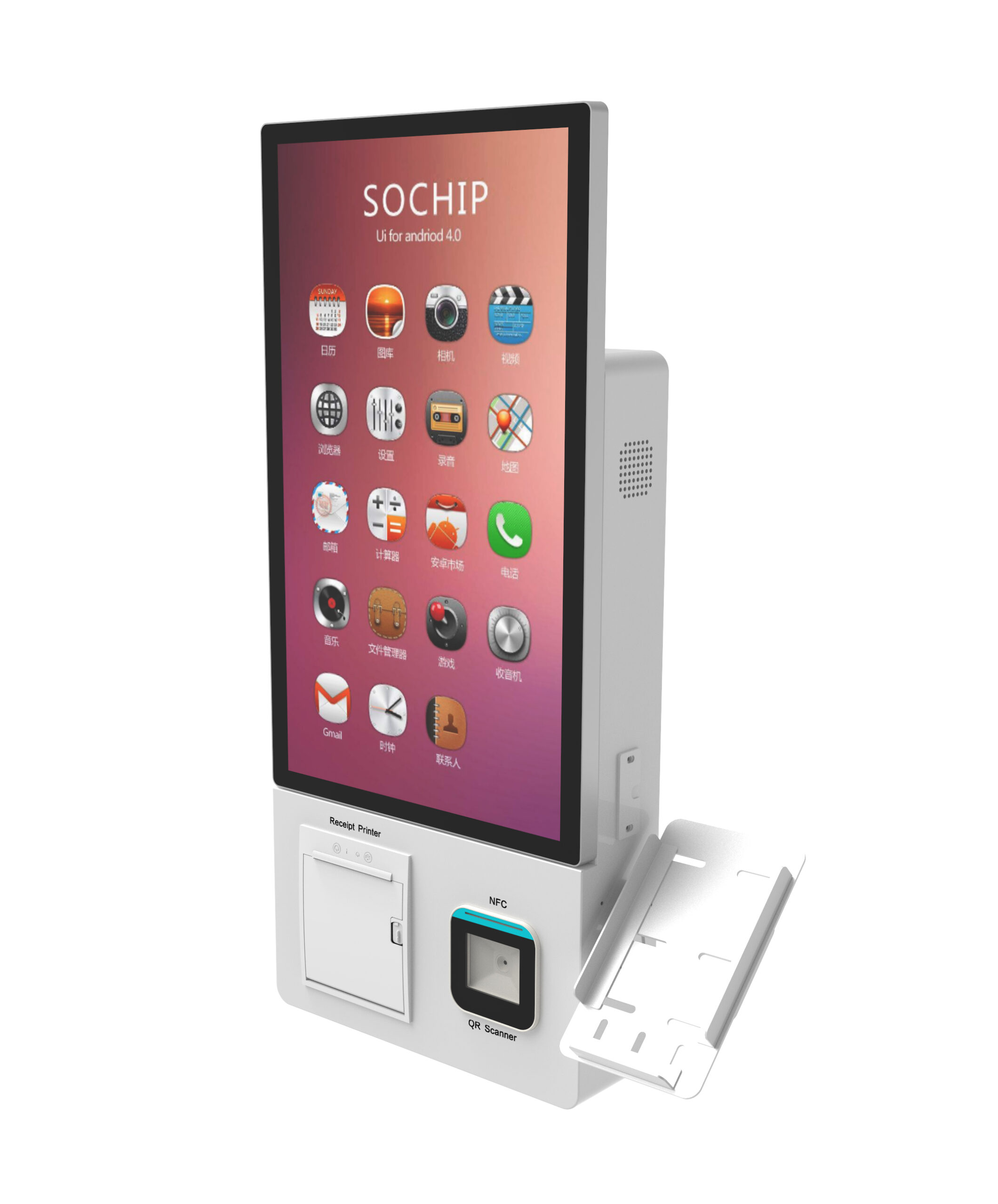
| # | Module | Function / interface role | Choose when | Environment driver | Verify before quote |
|---|---|---|---|---|---|
| 1 | Display + touch | Guest UI surface | Always required; brightness and touch technology vary | Glass-lobby glare during the 15:00–19:00 arrival peak; semi-outdoor valet position | Brightness in nit, touch technology, whether the figure is supplier-tested or datasheet-only |
| 2 | Identity / passport reader | Document capture (MRZ-capable passport, ID card, or combined) | When local or brand policy requires government ID capture before key issue | Cross-border guest mix; data-protection processing rules in your jurisdiction | Which document types are actually supported, and where the captured data is stored and for how long |
| 3 | Payment terminal | Card-present EMV terminal; contactless/NFC and mobile wallet | When payment or pre-authorisation happens at the kiosk | Unstaffed night lobby; guest mix that pays at arrival | Written statement of whether the payment path is inside or outside the supplier’s PCI DSS scope, and which acquirer certifies the configuration |
| 4 | Cash acceptor (option) | Banknote intake with validation | Only when the property accepts cash at arrival | Unstaffed desk with cash-taking guests; local payment habits | Accepted denominations and recycling/cassette behaviour, plus cash-handling procedure on your side |
| 5 | Key-card / RFID dispenser | RFID reader-writer issuing encoded room keys | When the kiosk issues keys rather than sending a mobile key | Peak arrivals per hour; whether mobile keys already exist | Card interface used, hopper capacity per unit, reload procedure and who performs it |
| 6 | Thermal printer | Folio / invoice / receipt output | When guests expect a printed invoice at the property | Local invoicing expectation; expense-reporting guest segment | Paper width, roll life between service visits, jam-recovery access |
| 7 | Compute / controller | Industrial mini-PC running the kiosk application and PMS middleware | Always required; spec follows the software load | Whether the kiosk must keep working when the PMS link drops | Whether the kiosk queues check-ins locally during an outage and how it reconciles afterwards |
| 8 | Enclosure & materials | Physical protection and cleanability | Always required; material grade varies | Cleaning regime, public contact, vandalism exposure, semi-outdoor placement | Material grade and any impact or scratch test the supplier can actually share |
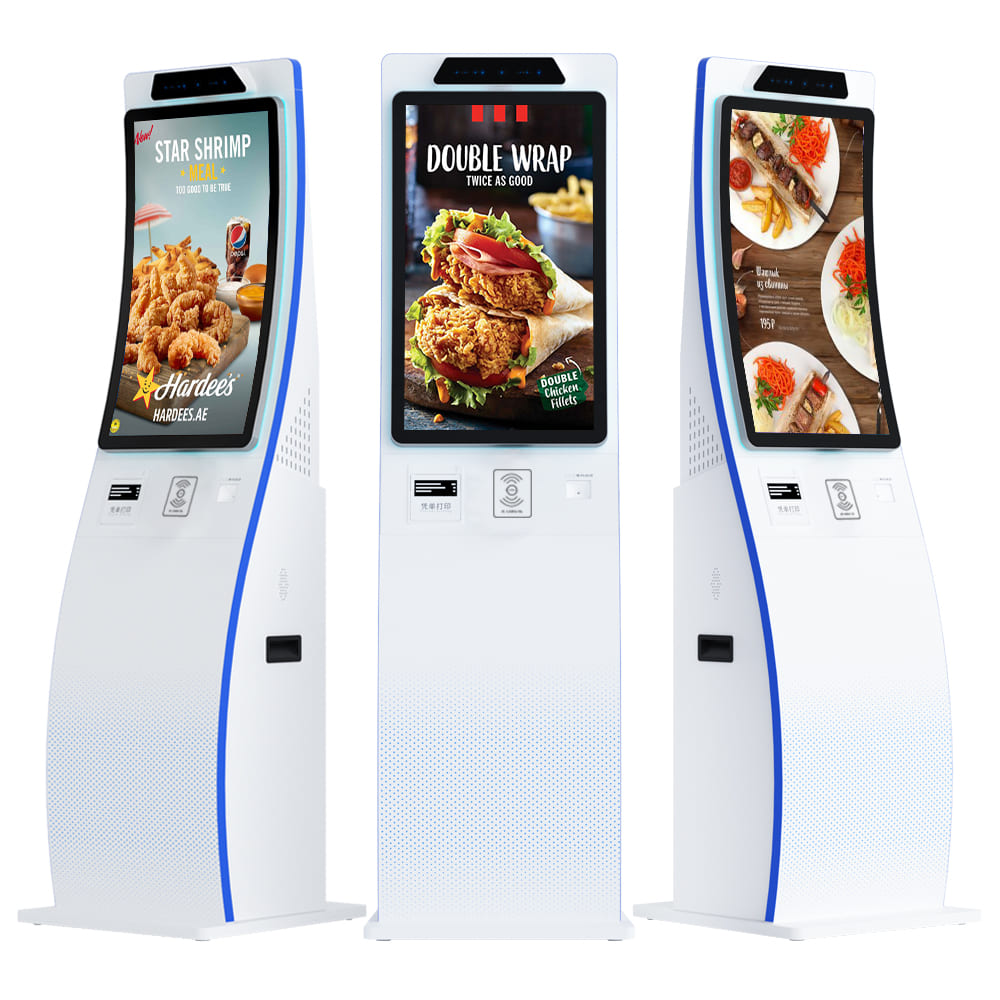
| 9 | Mounting + network/backup | Floor-standing or slim countertop; Ethernet / Wi-Fi / cellular failover | Driven by footprint, reach/clearance needs and cabling reality | Lobby footprint, cabling route, whether a cable run can reach the position | Clearance dimensions, cable entry points, and failover behaviour when the primary link drops |
For the mounting half of module 9, the trade-offs between slim countertop and floor-standing units are covered in choose between slim countertop and floor-standing mounting . For the network half, kiosk connectivity and failover options set out the Ethernet / Wi-Fi / cellular decision.
What the third-party market data does and does not tell you
One market-research publisher, Dataintelo, reports that hardware represents 31.2% of the hotel self-service kiosk market — about $103.3 million in 2025 — and gives an enterprise-grade hardware cost range of $8,000–$15,000 per kiosk unit depending on payment capability, sensors and durability ( dataintelo.com/report/hotel-self-service-kiosk-market ). The same source describes hospitality kiosks in the 55–65 inch display band with high-brightness panels, and reliability specifications supporting 16–18 hour daily operation cycles.
Use those figures as directional only. The excerpt does not disclose the publisher’s methodology or sample, the numbers are publisher-reported rather than independently verified, and the cost range is a hardware figure that excludes installation, commissioning and ongoing service. It is not a substitute for a configured quotation from a manufacturer. What the range is genuinely useful for is sanity-checking whether a quote you receive is in the same order of magnitude — not for building a budget line.
Scenario tiers: which modules actually change
Procurement teams rarely need to re-read a full BOM for every property. Most deployments collapse into three tiers, and in each tier only part of the stack moves.
| Deployment condition | What changes | What stays the same |
|---|---|---|
| Bright lobby or glass frontage (15:00–19:00 arrival peak in daylight) | Module 1 only: display brightness and touch technology. Anti-glare treatment may be needed. | Identity, payment, dispenser, printer, compute, mounting |
| Unstaffed night lobby (midnight check-in, no front-desk backup) | Modules 3 and 4 become near-mandatory, module 5 must auto-issue keys, and module 7 needs an exception-routing path to whatever remote support exists, plus offline queueing. | Display, enclosure, mounting, printer |
| Semi-outdoor porte-cochère / valet | Module 8 needs a wider IP-rated and temperature-rated specification; module 1 needs a brightness figure suited to uncontrolled light. | Payment, dispenser, compute — assuming the enclosure solves the exposure |
The enclosure and temperature items in the third tier are the ones most often assumed rather than specified. Do not accept a default: an IP rating and an operating temperature window are supplier-verified figures required in writing, and a general “weatherproof” description is not a specification.
Verification questions to send before you shortlist
- What is the exact display brightness in nit, and is that figure from a datasheet or from a test the supplier can share?
- What is the stated operating temperature range for the kiosk as configured — not for the panel alone?
- Is the payment path inside or outside the supplier’s PCI DSS scope, and which acquirer certifies this configuration? Ask for a written scope statement, not a verbal assurance.
- For the identity reader: which document types are supported, where is captured data stored, and what retention and deletion controls exist?
- What is the RFID/key-card interface and the hopper capacity per unit?
- What enclosure material is used, and is there an impact or scratch test the supplier can share?
- If the PMS link drops, can the kiosk queue check-ins locally, and how does it reconcile when the link returns? The integration path itself is set out in the hotel PMS integration and deployment guide .
- What is the MOQ, the sample lead time, and the lead time for a custom enclosure?
- Which modules can be swapped or serviced in the field without removing the whole unit? The modular kiosk field-serviceability checklist is a useful way to pressure-test the answer.
Items 1, 2 and 8 are the ones most commonly left blank by suppliers. Blank is an answer: it means the figure is unconfirmed, and you should carry it as an open item into negotiation rather than assuming a value.
Turning the checklist into an OEM/ODM brief
Once the table above is filled in, compress it to a one-page BOM brief: modules selected, scenario tier, environment constraints, and a clearly separated list of unresolved figures. That one page is what a manufacturer needs to respond with a configured quote instead of a catalogue item.
Split the brief into two columns before you send it. OEM-standard items — the base chassis, standard display, standard compute — are usually quick to quote. ODM-custom items — enclosure branding, a non-standard module mix, region-specific payment configuration, cash-accepting variants — drive both tooling and lead time, and should be flagged explicitly so the response addresses them rather than defaulting to the standard build. Cost of ownership across the deployment life, not just the unit line, is the comparison that matters, and kiosk total cost of ownership beyond unit price covers which lines to include. If you are building the commercial case at the same time, modelling kiosk ROI by segment and sizing the fleet for the arrival peak both depend on the module mix you settle here.
Common buyer questions
What hardware modules are required for a hotel self-service check-in kiosk?
Display and touch, identity/passport reader, payment terminal (optionally with a cash acceptor), key-card/RFID dispenser, thermal printer, compute/controller, enclosure, mounting, and network with failover. A kiosk that only performs check-out may drop the dispenser and identity reader.
How bright does a hotel lobby kiosk screen need to be?
There is no single answer that transfers between properties — the required figure follows your glazing, orientation and time of peak arrivals. Require the supplier to state a value in nit and to say whether it is tested or datasheet-derived, then compare that against the actual lighting at the intended position.
Do we need a cash acceptor, or is card-only enough?
That is a guest-mix and policy question, not a technical one. Card-only simplifies the payment scope; a cash acceptor adds cassettes, denominations and a cash-handling procedure on your side. Decide from your arrival payment data, not from the module list.
Does the passport/ID reader replace the front desk?
No. It automates document capture for the check-in flow. Exception handling — payment disputes, room moves, unusual bookings — still needs a defined route, which is why the compute module’s offline queueing and remote exception path matter as much as the reader itself.
Request a quote, sample or datasheet
Request a quote, sample or datasheet for hotel check-in / check-out kiosks. Attach your completed BOM brief — module selections, scenario tier, unresolved figures — so the response is a configured quotation and a sample matched to your lobby condition, rather than a generic product sheet.