Quick answer: Short answer: spec the mechanism first, then the enclosure. A custom unattended-retail kiosk is only as manufacturable as the shell hosting its heaviest, hottest and most tamper-prone module — so lock the print/scan/dispense and payment hardware, put IP/IK and reach-range intent on paper, and only then let enclosure design, tooling and certification follow. Anyone quoting an enclosure before the mechanism is fixed is quoting a guess.
Overview
Short answer: spec the mechanism first, then the enclosure. A custom unattended-retail kiosk is only as manufacturable as the shell hosting its heaviest, hottest and most tamper-prone module — so lock the print/scan/dispense and payment hardware, put IP/IK and reach-range intent on paper, and only then let enclosure design, tooling and certification follow. Anyone quoting an enclosure before the mechanism is fixed is quoting a guess.
Most sourcing pages for this query are manufacturer directories — useful for names, useless for decisions. The Kiosk Industry Group directory itself opens with the line that “the least cost upfront is usually the most cost longterm,” then never says how to act on it. This checklist operationalises it as an ordered gate sequence: mechanism → enclosure → payment → telemetry → software → validation → commercial terms . Each gate changes either tooling cost, certification path or field-failure rate, so treat a gate you cannot close in writing as a reason to stop, not a detail to settle later.
Three build profiles run through the whole sequence, and their requirements diverge sharply:
- Photo-strip print kiosk — QR/touch upload, dye-sublimation or inkjet print, slit or flatbed scanner, high consumable turnover.
- Lottery / pre-printed ticket vending — secure blank-stock storage, controlled dispensing, audit trail.
- Desktop or portable contactless donation terminal — small Android panel, EMV/contactless reader, minimal thermal headroom, no cash path.
Gate 1 — Match the enclosure to the mechanism, not to a style guide
Hand the enclosure engineer the physical facts, not a mood board: module mass, insertion and removal direction, heat load, blank-stock volume, and how often a technician must reach inside. A photo-strip unit that swaps media daily needs a different service aperture than a donation terminal sealed for months.
- IP rating intent per location. Ask the supplier to state the target and name the standard it maps to — IEC 60529 is the reference framework for ingress protection. A climate-controlled lobby and a covered outdoor walkway justify different targets and different cost. Ask how the rating is evidenced, not just asserted.
- IK impact intent. Where vandalism is realistic, require a stated IK target referenced against IEC 62262 and ask what test or design analysis supports it. Indoor donation terminals in staffed lobbies may need none; a walkway ticket unit may need substantial.
- Material and finish system. Steel gauge or alloy grade, powder coat versus stainless, edge treatment, and lock design at the cash door and print slot. Prying resistance is a geometry decision, not a coating decision.
- Reach range and clearance. For any US public-facing device, treat the ADA 2010 Standards reach-range clauses as a hard design constraint — retrofitting reach compliance after tooling is expensive or impossible.
- Tooling ownership. Settle who owns moulds, jigs and fixtures before the enclosure is frozen. This is the single most common post-freeze dispute.
Gate 2 — Print, scan and dispense: choose by failure mode, not unit price
Mechanism selection drives your consumable economics, your field-service load and your enclosure dimensions at the same time.
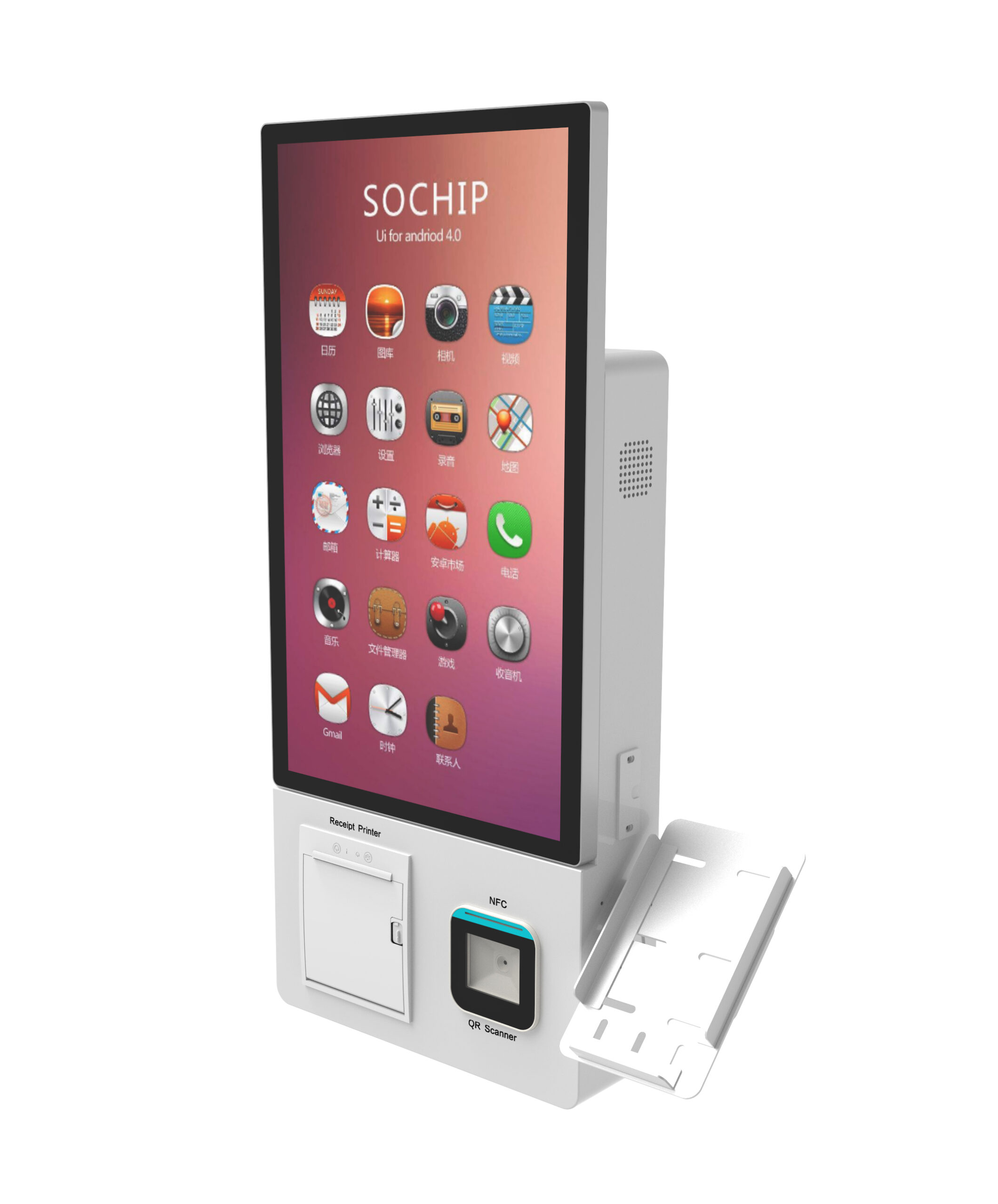
Photo-strip kiosks. Compare dye-sublimation against inkjet on media cost per print, print cycle time, jam behaviour and consumable logistics — then ask the supplier to state the duty-cycle assumption behind any comparison. Require the QR/touch upload path to be tested against the real print queue: slow tethered uploads are the classic pilot-stage complaint, and they are a software-plus-hardware problem, not a printer problem. A wall-mount self-service kiosk form factor is one common way to place a print unit without consuming floor area.
Lottery / secure dispensing. Treat blank-stock storage as a security and audit problem first. Ask about lock architecture, how jam recovery works without breaking the audit trail, and how the dispensing path is cleaned in the field. Then ask the harder question: what prevents double-dispense or partial dispense on a jam, and how does the unit reconcile tickets dispensed against tickets requested? For adjacent ticket-handling logic, the TITO ticket redemption deployment checklist is a useful reference on validation sequencing.
Donation terminals. In a desktop footprint, thermal headroom is minimal. Specify the reader-to-panel interface, cable routing and service access explicitly, and size the panel around the reader rather than the reverse. A small-footprint tabletop kiosk shows how tight this packaging gets.
Across all three: require a spare-parts list with part numbers and an availability window before you order. Mechanism obsolescence mid-rollout is a recurring unattended-retail risk, and it is a procurement failure, not a manufacturing one.
Gate 3 — Payment, cash acceptance and change: a compliance question, not a spec sheet
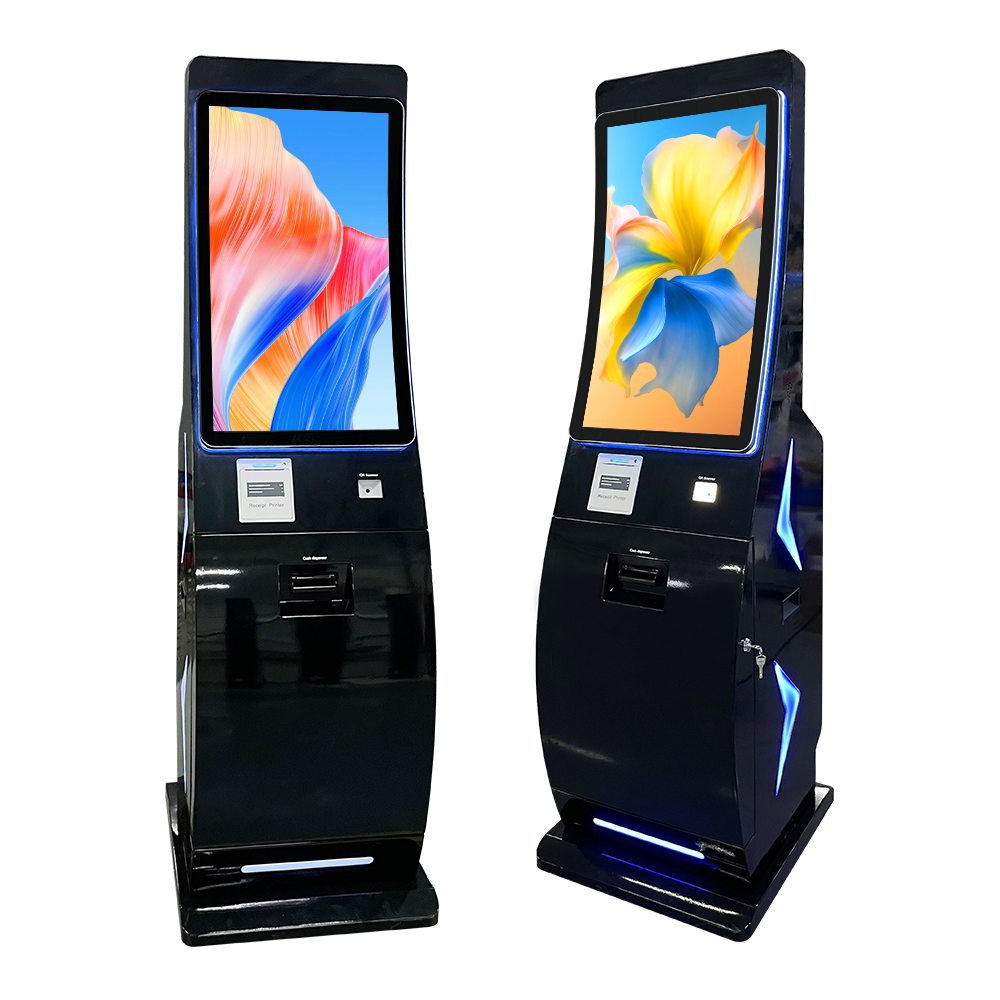
Separate the three payment surfaces, because each carries a different approval and maintenance burden: contactless/EMV card, note acceptance, and coin or hopper change. A cash-accepting freestanding unit such as the freestanding cash-handling self-service kiosk combines all three — which is exactly why this gate exists.
- Reader approval status. Ask the supplier to state the EMVCo and PCI PTS POI approval status of the specific reader module and configuration proposed. Approval attaches to a component and its integration, so “PCI compliant kiosk” is not a meaningful answer.
- Responsibility split. PCI DSS obligations fall on the entity handling cardholder data and its payment chain — not automatically on the enclosure builder. Get the split in writing before you assume either party has covered it.
- Acceptor interface protocol. Request the acceptor’s interface protocol — MDB, ccTalk or a proprietary bill-acceptor protocol — and confirm the kiosk controller can host it without a bespoke bridge. A bridge is a permanent maintenance liability.
- Recycling roadmap. If note recycling is planned later, treat it as a separate integration decision with its own denomination set, cassette capacity and service contract. Ask for a documented integration scope, not an assurance that it “can be added.”
- Change management. Define the denomination mix, hopper capacity against expected daily transactions, and the fail state when change runs out during unattended hours. That fail state is a product decision, not a technical one.
Gate 4 — Remote management: define the telemetry before the dashboard
A dashboard without the right events is decoration. Start from the minimum event set a rollout needs, then ask what platform carries it.
- Low paper and low stock, cash cassette level, coin hopper level, door-open and tamper events, printer error codes, device heartbeat.
- Platform ownership. Does monitoring run on the supplier’s platform or yours, and who owns the data and the API? Platform lock-in is a switching cost that surfaces after year one, not at selection.
- Offline behaviour. Require a written statement of what the kiosk does with a transaction when connectivity drops, and how it reconciles on reconnect.
- Firmware discipline. Require a staging/production split and a documented rollback path. Unattended fleets fail at scale on bad firmware pushes far more often than on bad enclosures.
- Field-service model. Who dispatches, what response time is contracted, and can your own technicians open and service the unit without voiding warranty?
Gate 5 — White-label software and hardware customization workflow
Map ownership before development starts, not after the first invoice. For each layer — enclosure industrial design, firmware, application UI, payment middleware, cloud backend — assign a named owner in a written RACI.
- Ask whether the supplier provides white-label kiosk software, an application-ready SDK, or hardware supply only, and match that to your in-house capability.
- Confirm branding treatment constraints: printed panels, CNC-cut logos, backlit signage and wrap materials each change enclosure tooling and lead time.
- Define change control: how a mid-project spec change is priced, re-approved and rescheduled, and who absorbs re-tooling cost. Curved or shaped enclosures such as a curved-design self-service kiosk raise the cost of late changes materially.
- Ask what documentation ships with the unit — wiring diagrams, BOM, module datasheets, service manual. You need these for your own field support, and they are often withheld until asked for.
Gate 6 — Prototype-to-production validation gates buyers skip
- Mechanical fit sample. Every module mounts, cables route without sharp bends, and service access works with the unit fully assembled.
- Thermal and duty-cycle check under a stated ambient assumption. Print heads, acceptors and panels all have thermal limits that only appear under continuous use.
- End-to-end payment and transaction loop , including declined card, rejected note, jam and change-empty. Edge cases generate the field tickets.
- EMC and electrical-safety intent for the destination market, with the specific standard and test house named by the supplier rather than implied.
- Pilot units in the real location , with written success criteria and a decision date, before committing to production tooling.
Treat any reliability or uptime figure a supplier quotes as unverified until your own pilot data exists. That applies to us as much as to anyone else: we publish no fabricated test data and no invented customer performance figures.
Gate 7 — Commercial terms to lock before the PO
- MOQ at each stage. Prototype, pilot batch and production MOQs are different numbers. A low production MOQ often hides a high prototype or tooling MOQ.
- Lead time decomposed. Separate tooling lead time, first-article lead time and repeat-order lead time — and ask what the quoted figure excludes.
- Tooling ownership and transfer. Who owns the tooling, and what does it cost to move it to another supplier?
- Warranty scope. Duration, whether it covers parts, labour and shipping, and the explicit exclusions for vandalism, consumables and environment.
- Total cost of ownership. Currency, Incoterms, payment schedule, and post-warranty spare pricing. Two quotes are only comparable once all five are on the table.
Supplier verification questions that separate an OEM from a trading office
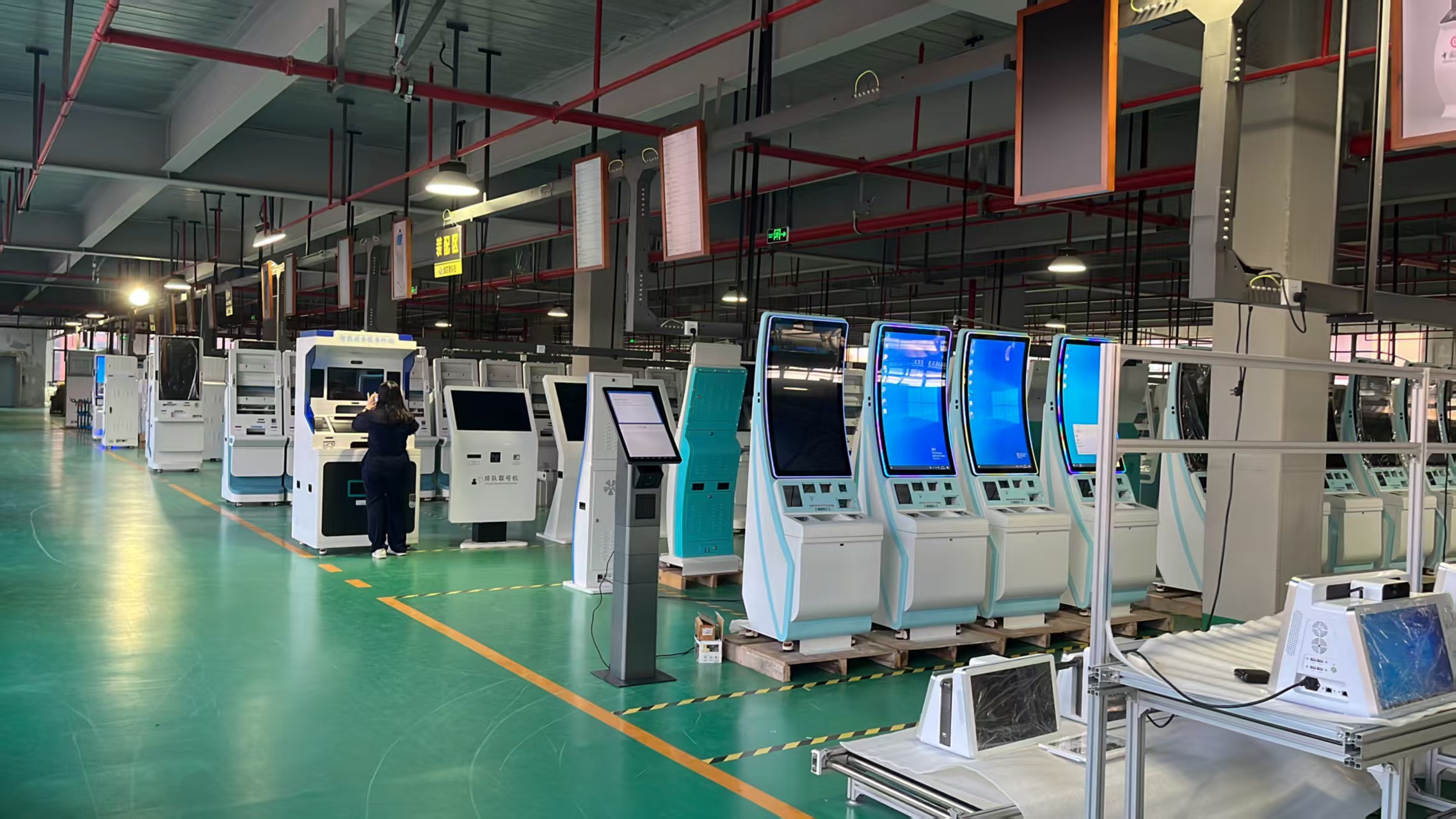
- Which production steps are done in-house versus subcontracted? Ask to see the process map.
- Which standards, by name and revision, are the enclosure and modules designed against? A supplier who cannot name them is a reseller.
- Can they provide two reference deployments in your application class, and can you speak to them directly?
- What happens when a module reaches end of life mid-contract? A documented last-time-buy and replacement plan is the mark of an established OEM.
- Can they walk you through a cutaway of a comparable enclosure and identify the service points? If not, the enclosure design is likely outsourced.
Where market context sits — and where it stops
Kiosk Industry Group ( kioskindustry.org/kiosk-market-research-and-data ) reports a Research and Markets projection that the US interactive kiosk market grows from USD 6.79 billion in 2025 to USD 9.53 billion by 2030 at a 7.0% CAGR. The same page notes that direct industry participants often place the true core global kiosk sector — excluding ATM, vending and tangential categories — nearer USD 8–15 billion. Both are publisher-reported; the excerpt does not disclose method or sample, so treat them as directional rather than measured fact.
The practical implication is not “the market is growing.” It is that demand is broad but heterogeneous, which means supplier selection and spec locking matter more than market timing. Any figure you cannot attribute to a named publisher, year and scope should be left out of your own business case.
Ready to lock your spec?
Condense the seven gates into a one-page pre-RFQ sheet: mechanism list with part numbers, IP/IK intent, payment approval status required, telemetry event list, documentation deliverables, validation gates, and the commercial terms above. Attach it to your tender. A supplier who cannot answer it in writing is telling you something useful before you spend on tooling.
For enclosure design, module integration and white-label software scope, see our custom OEM/ODM kiosk design and manufacturing service .
Request a quote, sample unit or spec sheet for your custom OEM/ODM kiosk project — send us your mechanism list and deployment environment, and we will return a build scope with the gate items above addressed in writing.