Quick answer: ADA compliance is a legal obligation that sits with the deploying site owner, not with the kiosk manufacturer. An OEM cannot certify a site as compliant and cannot attach an “ADA compliant” sticker to a serial number. What a manufacturer can do is supply hardware features and documented test evidence against the clauses you write into the purchase order — and that is only possible if those clauses exist before tooling is released.
Overview
ADA compliance is a legal obligation that sits with the deploying site owner, not with the kiosk manufacturer. An OEM cannot certify a site as compliant and cannot attach an “ADA compliant” sticker to a serial number. What a manufacturer can do is supply hardware features and documented test evidence against the clauses you write into the purchase order — and that is only possible if those clauses exist before tooling is released. This checklist converts the phrase “ADA compliant kiosk” into item-by-item acceptance criteria with a named owner and a verification method for each line, so accessibility stops being a change order and becomes something you can price, test and sign off.
What “ADA compliant kiosk” has to mean in your spec pack
ADA compliance belongs to the deploying site owner, not the OEM, so “ADA compliant kiosk” in a PO is only meaningful once you convert it into per-unit acceptance criteria covering input controls, audio output, placement geometry and the software layer — each with a named owner and a test method you can sign before crating.
Three different parties own three different parts of the result, and buyers routinely conflate them:
- Hardware the OEM controls — key height and spacing, tactile key identification, headphone jack type and location, audio routing, enclosure geometry as drawn.
- Installation variables the integrator controls — mounting height, forward-reach band, clear floor space in front of the unit, approach route. The published guidance from Vispero makes the point bluntly: a kiosk can satisfy every physical requirement in the ADA Standards and still be inaccessible.
- Interface variables the software owner controls — screen-reader output, focus order, text labelling, session timeouts and whether an accessible unit actually exposes the same transaction paths as a standard one.
Write the spec to survive a tightening rule. The U.S. Access Board’s 2022 advance notice on self-service transaction machines states that the ADA and ABA Accessibility Guidelines currently require at least one of each type of ATM or fare machine provided at each location to comply, and that the Board intends to address the minimum number of SSTMs and kiosks — noting the current approach may be insufficient in high-traffic locations. If minimum quantities are revised upward, a spec pack that assumes “one accessible unit per site” is already obsolete. Build for a configurable accessible variant, not a one-off.
Name the applicable regime before you price anything. A US public-facility rollout sits under ADA/ABA guidelines. An airport deployment adds Air Carrier Access Act obligations. EU-bound product touches EN 301 549. One enclosure build rarely satisfies all three without modification, so state the destination market and the site type in the RFQ header. If you are still shaping that document, the approach in this guide to writing an enforceable kiosk spec pack translates directly.
Input controls: the clause most often missing from an RFQ
Every function on the kiosk must be operable through at least one tactilely discernible input control, and where text entry is core to the task, the requirement to quote against is a physical QWERTY keyboard with tactile indicators on the F and J home-row keys — a point the Kiosk Manufacturers Alliance states directly in its accessibility FAQ.
Clause 2.1 — tactile indicators on every function key
Verified by touch with the screen off, not by reading the render. State the test method in the PO: a technician identifies each function key by feel and records the result.
Clause 2.2 — documented alternate input path per function
For each on-screen function, name the non-touch route: physical keypad, headphone-jack-compatible input, or a staff-assisted mode. “Staff will help” is acceptable only if the operator agrees in writing and the escalation path is defined.
Clause 2.3 — bill of evidence, not a marketing statement
Require a build photo set of the key row plus a signed test sheet confirming F and J tactile detection at the factory test station. A supplier page saying “accessible keypad” is not evidence.
Needs confirmation before you quote: the maximum operating force and minimum target size values in the operable-parts provisions of the current ADA Standards. Quote these from the current published edition of the standard, confirmed with your accessibility reviewer — do not copy a number from a supplier page.
Audio and private listening: the fastest way to fail an airport or transit review
Accessible kiosks must provide speech output, tactilely discernible input controls and a standard headphone jack. Where the site is a US airport with 10,000 or more annual enplanements, the Department of Transportation requires at least 25% of automated kiosks at each location to be accessible, and those units must offer the same functions as the rest.
Turn the 25% threshold into a fleet question rather than a hardware question: how many units in the bank are the accessible variant, and does the software expose identical transaction paths on every unit, including the accessible ones? A compliant jack on a kiosk running a reduced menu is not compliance.
Clause 3.1 — jack specified physically
Standard 3.5 mm, front-facing, within the reachable band, with a defined auto-detect behaviour that mutes the open speaker when a plug is inserted. Then confirm the software honours it in a real transaction.
Clause 3.2 — a volume path that does not depend on the touchscreen
Physical volume control, or a fixed and tested output level with a defined escalation path to staff. Voice guidance a user cannot make loud enough in a lobby is not usable.
Clause 3.3 — witnessed end-to-end headphone test
A scripted transaction completed start to finish on headphones, on the accessible unit, recorded and signed at the factory before crating.
Placement, reach range and mounting: where the integrator inherits the risk
A kiosk can satisfy every physical requirement in the ADA Standards and still be inaccessible once installed, because mounting height, forward reach and the clear floor space in front of the unit are site decisions — which is why placement belongs in the drawing pack and the installer’s sign-off, not in the hardware datasheet.
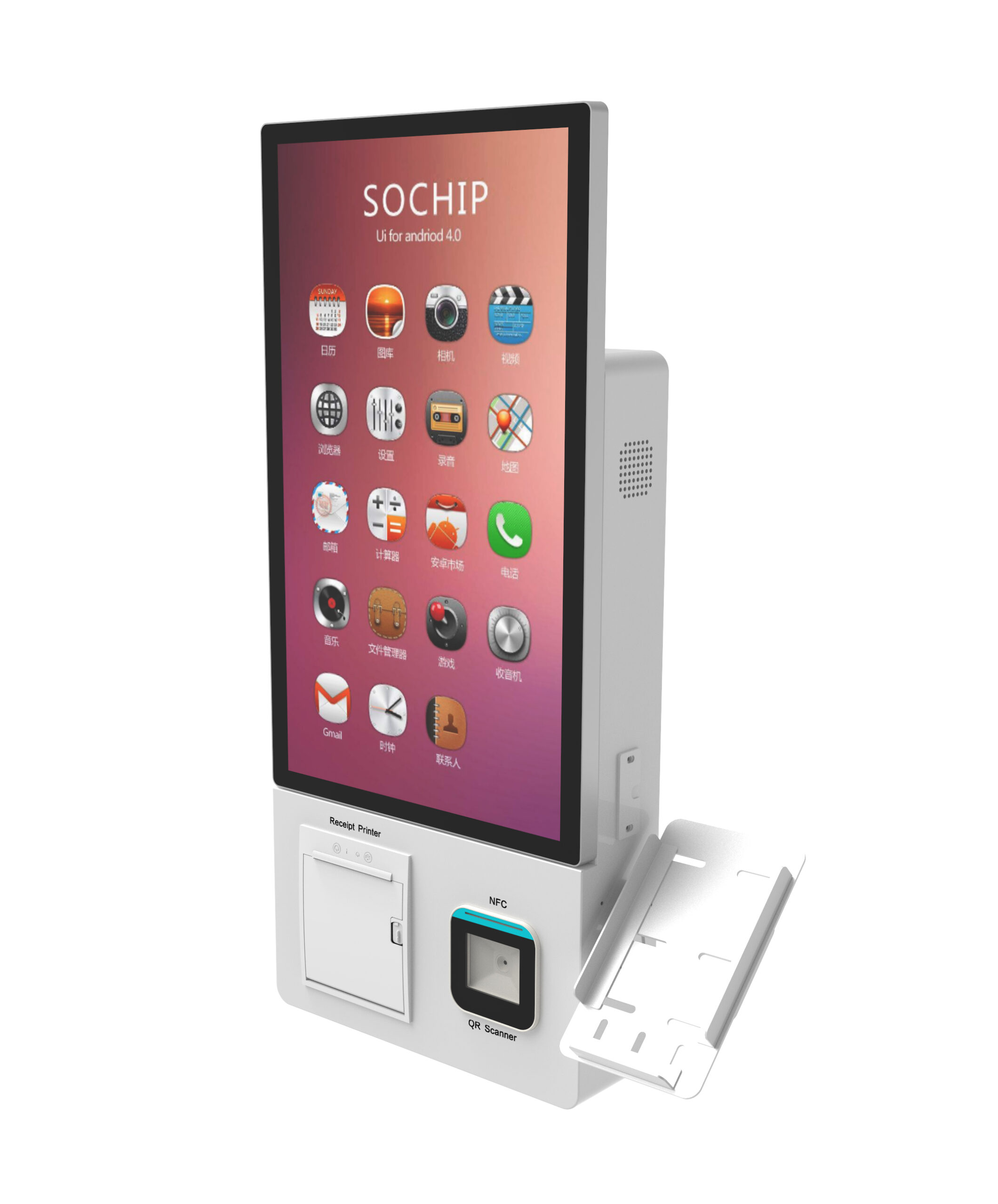
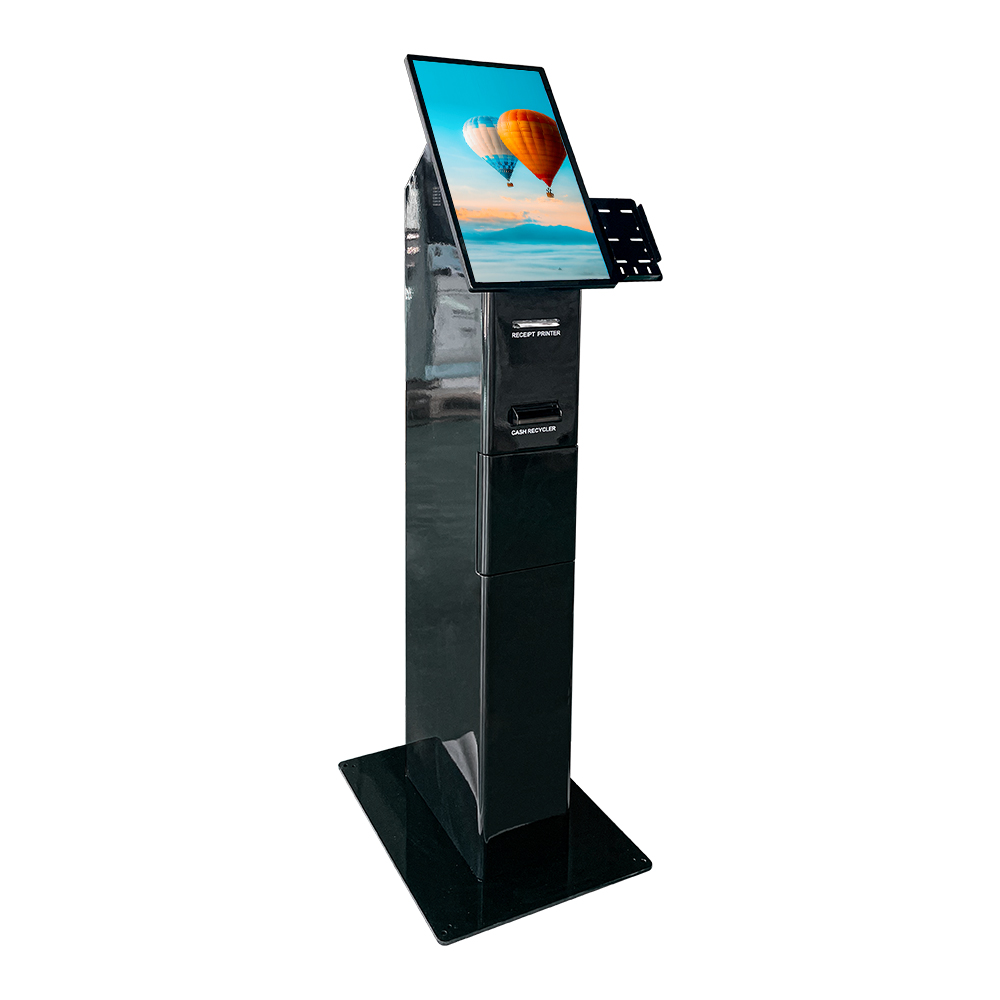
Split the checklist by mounting type, because the reach geometry differs. A wall-mount self-service kiosk hands the mounting height decision to the installer entirely; a freestanding enclosure lets the OEM fix the geometry at the factory but still depends on the floor space provided around it.
- Clause 4.1 — the OEM drawing states a mounting band, not a single nominal height, with the working zone called out: display centre, key row, card reader, cash slot if fitted, jack.
- Clause 4.2 — dimensional drawing delivered as a controlled document with a revision number, so the installer verifies against the site before concrete is poured.
- Clause 4.3 — integrator sign-off confirming the installed dimension set matches the drawing before the site is handed to operations.
Needs confirmation before you quote: the exact reach-range, clearance and side-reach limits in the current ADA Standards. Verify against the published edition and, for publicly funded sites, confirm with the authority having jurisdiction. Do not let a supplier’s summary drawing substitute for the standard.
Software and screen-reader compatibility checklist
Hardware compliance does not carry the interface. Screen-reader output, focus order, labelling and timeout behaviour must be written into the software statement of work and tested on the accessible unit, because a compliant enclosure running an unreachable interface still fails the user.
- Clause 5.1 — the OEM or software vendor names which screen readers and platform accessibility modes were tested, and on which OS build. Unnamed means untested.
- Clause 5.2 — every on-screen control reachable without a pointer, focus order documented, and each control carrying a text label rather than an icon-only button.
- Clause 5.3 — session timeouts have a stated limit and an extension behaviour, so a reader-driven transaction cannot be terminated mid-flow.
- Clause 5.4 — a keyboard-only acceptance pass: complete the primary transaction using the physical keypad alone, with the touchscreen disabled.
Which regime applies: ADA, ACAA, EN 301 549
US public-facility deployments sit under ADA/ABA guidelines; airport deployments add Air Carrier Access Act obligations, including the 25% accessible-kiosk threshold at locations with 10,000 or more annual enplanements; EU-bound product introduces EN 301 549. The buyer must state the destination and site type in the RFQ so the supplier can quote the right build.
Manufacturers commonly publish a combined ADA and European disability-access design position on standard models while noting that some models still need pre-deployment decisions — keyboard selection, interface design — to reach full compliance. That is a normal and honest position; the KIOSK Information Systems ADA design guidelines document is a reasonable example of how such a statement is typically worded.
Treat EN 301 549 as a separate evidence request, not an assumption. Ask the supplier which clauses they can document internally and which require test-house or notified-body review, and mark anything unconfirmed as needing confirmation. State and local accessibility codes can also layer requirements on top of the federal baseline; the integrator should confirm with the authority having jurisdiction before tooling is released.
Compliance evidence to demand before the PO, not after
Release tooling only against a documentation pack that maps each checklist line to a verification method — drawing, test sheet, software test report or site survey — because retrofitted accessibility features are structural changes to an enclosure, not a firmware patch.
| Checklist line | Owner | Evidence to demand |
|---|---|---|
| Tactile function keys, incl. F/J | OEM | Build photos + signed tactile test sheet |
| Headphone jack + audio routing | OEM / software | Witnessed headphone transaction record |
| Mounting band, reach, clearance | Integrator | Controlled dimensional drawing + install sign-off |
| Screen-reader and focus order | Software owner | Software test report naming readers, OS builds, known gaps |
| Keyboard-only transaction | OEM / software | Factory acceptance test record |
| Regime mapping (ADA / ACAA / EN 301 549) | Buyer + supplier | Clause-by-clause compliance matrix |
Also request the change-control rule : what happens to each accessibility feature if the enclosure, key layout or UI is revised after approval. Without that clause, a mid-program cosmetic change can quietly break the sign-off. An honest known-gaps list is a trust signal, not a disqualifier.
How the checklist changes cost, MOQ and your second source
Accessibility line items shift cost in tooling and test time rather than in bill-of-materials volume — extra key hardware, the jack assembly, a taller enclosure for reach compliance and additional factory test stations — so they belong in the tooling and NRE conversation, not in a per-unit haggling exercise.
- Ask for a dual-source BOM view for the accessibility-critical parts: keypad module, jack assembly, audio board. These are the components most likely to go end-of-life and stall a fleet mid-programme.
- Tie the accessibility spec to your spares plan. A discontinued keypad that no longer carries tactile indicators silently breaks compliance across the fleet — the approach in this spare-parts and end-of-life planning for kiosk fleets is the right place to lock that down.
- Require MOQ and lead time quoted separately for the accessible variant versus the standard base unit, since tooling changes are variant-specific.
- If the RFQ is still open, the questions to ask a kiosk vendor before ordering cover the commercial counterpart to this checklist.
Buyer FAQ
How many kiosks at a location must be ADA compliant?
Under the current ADA and ABA Accessibility Guidelines, at least one of each type of ATM or fare machine at a location must comply, and the U.S. Access Board’s 2022 notice states it intends to address minimum quantities for SSTMs and kiosks because the current approach may be insufficient in high-traffic locations. For airports with 10,000 or more annual enplanements, the DOT threshold is at least 25% of automated kiosks per location. Confirm the requirement for your specific site type with the relevant authority before you commit volumes.
Does an ADA compliant kiosk need a physical keyboard?
Not always — but where text entry is core to the function, such as address or name capture, the KMA’s guidance points to a physical QWERTY keyboard with tactile indicators on the F and J home-row keys. If text entry is not core, at least one tactilely discernible control per function still applies. Decide this at spec stage, because keyboard selection is a pre-deployment decision that cannot be retrofitted cheaply.
Can a kiosk be ADA compliant but still unusable in practice?
Yes. The most common failures are installation geometry — mounting height and reach — and software: a screen-reader layer that was never tested on the shipping OS build, or a session timeout that ends a slow transaction. That is why every line in this checklist carries a verification method rather than a feature name.
What documentation should a kiosk OEM supply to prove accessibility compliance?
A clause-by-clause compliance matrix, a factory acceptance test record covering the headphone jack, tactile keys and a keyboard-only transaction, a software test report naming readers and OS builds with known gaps listed, and controlled dimensional drawings. The OEM supplies evidence and hardware features; the deployer owns the legal obligation, so keep the matrix in your own records.
Next step: put the checklist into the RFQ
Send this list to your shortlisted suppliers unchanged and ask each to return the compliance matrix column filled in. Inconsistencies between responses will tell you more about a supplier’s accessibility engineering than any datasheet. To compare a configurable build against your site’s geometry — wall-mounted or freestanding, cash-handling or card-only — you can review the freestanding cash-handling self-service kiosk platform as a starting reference point.
Request a 2026 quote and a dual-source BOM / accessibility compliance checklist — we will return the clause-by-clause matrix, the factory acceptance test record template and a BOM view of the accessibility-critical components so your team can price the accessible variant against the standard base unit before tooling is released.