Quick answer: The irreducible peripheral set is five items: identity capture, an EMV payment terminal, a key-card encoder, a receipt printer and the display itself. A camera, audio output, NFC reader, barcode scanner and cash module are conditional on the workflow you are deploying. Everything beyond those five must justify itself against a failure it prevents, not a feature it adds.
Which peripherals a hotel check-in kiosk actually needs — and which ones just inflate the BOM
The irreducible peripheral set is five items: identity capture, an EMV payment terminal, a key-card encoder, a receipt printer and the display itself. A camera, audio output, NFC reader, barcode scanner and cash module are conditional on the workflow you are deploying. Everything beyond those five must justify itself against a failure it prevents, not a feature it adds.
That matters because peripheral selection is not a shopping list — it is a sequence of irreversible commitments. Each part you add after the enclosure is tooled introduces a new driver, a new certification path and a new failure point. The order in which you lock the BOM determines whether a late change is a firmware tweak or a re-validation project.
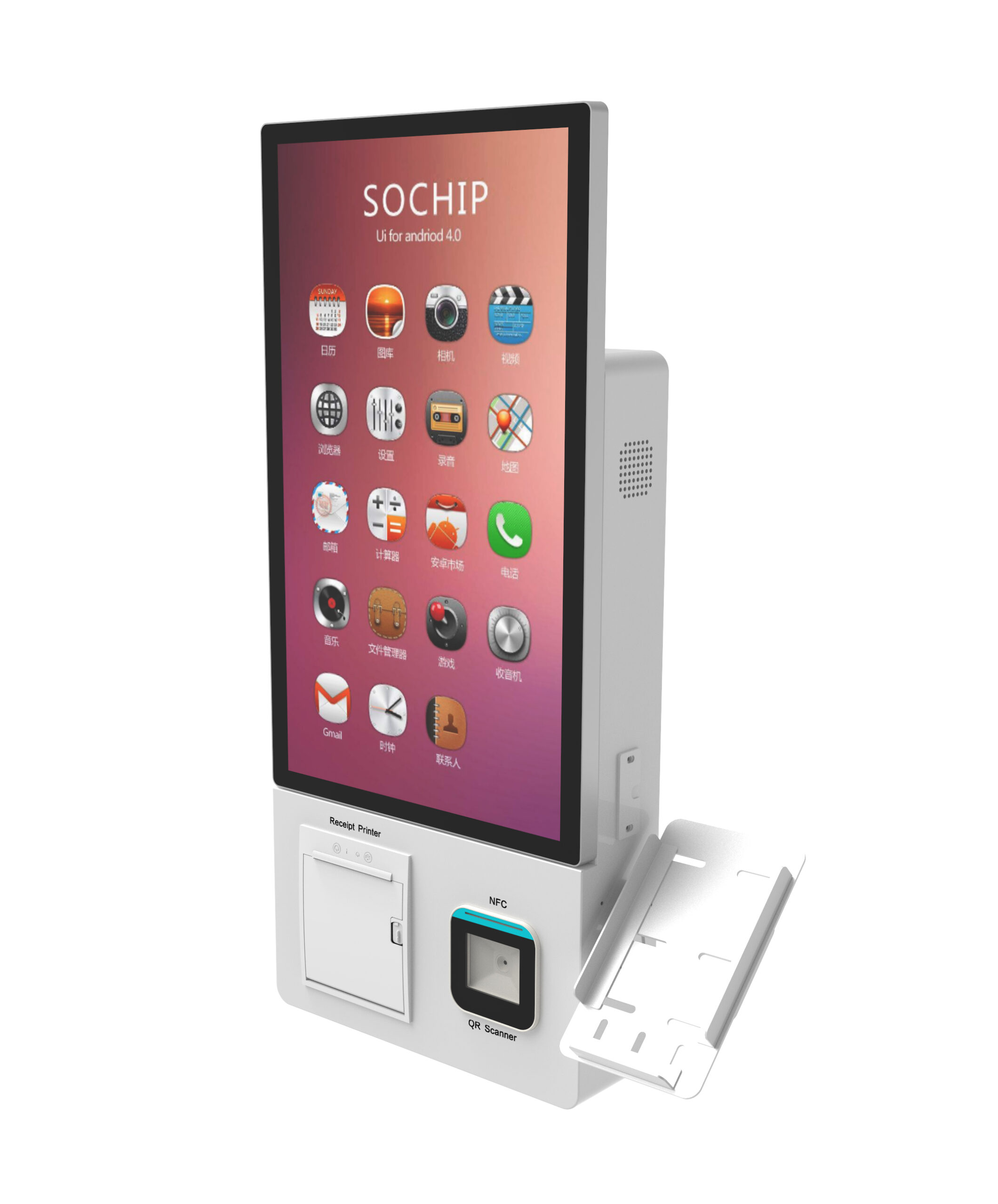
| Peripheral | Required when… | Skip if… | What it locks you into |
|---|---|---|---|
| ID / passport scanner | Local law or brand standard requires identity capture; international guest mix | Domestic-only guests and PMS already holds verified identity | Scanner SDK on your OS build; document-type coverage; failure-handling workflow |
| EMV terminal / PIN pad | Card payment collected at the kiosk, including incidental pre-authorisation | Payment is captured on a separate terminal or via mobile link | Acquirer relationship, payment application certification, PCI scope statement |
| Key-card encoder | Physical keys are issued at arrival | Mobile keys only, or keys issued by staff | Encoder–PMS protocol, lock-vendor compatibility, blank-card stock |
| Thermal receipt printer | Guest receives a printed folio, receipt or registration document | Folio is emailed or pushed to the guest’s phone | Paper width, consumable supply chain, jam-clearing routine |
| Camera + audio | Remote agent assist is part of the operating model, or accessibility requires voice guidance | Staffed desk is within sight of the kiosk at all hours | Privacy notice, retention rule, network dependency for the assist session |
| NFC / contactless reader | Loyalty tap, mobile key handoff, or contactless payment outside the PED | The EMV terminal already handles contactless | Duplicate payment paths if not scoped against the PED |
| Cash acceptor / dispenser | Cash is a material payment method at the property | Card-only policy, or cash handled at the desk | Cash logistics, vault routine, note-acceptance currency set |
One context line before the gates: kiosks are a volume solution. A property management vendor’s blog (roommaster, undated) places them most often at 50-plus-room independents, groups, airport/business hotels and resorts. That is an industry observation, not a threshold — test it against your own arrival curve rather than adopting it.
Gate 1 — Identity capture: MRZ, OCR or NFC, and what to test with real documents
The three capture modes are not competing quality tiers; they cover different failure cases. MRZ reading validates the machine-readable zone whose line formats are defined in ICAO Doc 9303 — the lowest-friction default for passports. OCR reads the visual zone when the MRZ is worn, damaged or the document type carries no MRZ. NFC chip reading works where your market’s documents and your legal basis for reading the chip allow it.
The decision rule is MRZ-first with OCR as fallback, then a written answer to the question suppliers dislike: what happens on a failed read? A read-rate percentage without its test corpus, document mix and lighting conditions is marketing. A described failure path — retry, manual entry, staff-assist call — is a specification.
Put two things in writing before you order samples. First, does the scanner SDK run on the exact kiosk OS build you are shipping, and does it return a structured result to your check-in application or only a raw image your software must parse? Second, which document types and issuing countries were actually tested, and when.
Sample test: run your own property mix — a chip passport, a worn passport, a domestic driving licence, a non-Latin-script ID, and a folded or glared document — and record time-to-accept and the failure path for each.
Gate 2 — Payment: EMV terminal, contactless, PIN pad placement and the PCI scope question
Separate the two jobs before you specify hardware. Pre-authorisation at check-in places a hold against incidentals; capture and settlement at check-out closes the folio. That workflow decision changes terminal configuration and the messages exchanged with the PMS — not just the part number.
PIN pad placement is simultaneously an accessibility and a security decision. Height, reach and a privacy shield determine whether a contactless guest, a chip-and-PIN guest and a fallback swipe guest can each complete payment unassisted. A PED bolted at the wrong height fails Gate 6 before you reach it.
On PCI scope, the practical position is narrower than most buyers assume and broader than most vendors imply. Integrating a PED into a kiosk does not automatically pull your PMS into cardholder-data scope — but it does not remove it either. The lever is architecture: a point-to-point-encrypted payment chain as defined by the PCI SSC, plus network segregation between the kiosk, the payment chain and the property network. The final word belongs to your acquirer, who determines your SAQ category. Ask for the scope statement from the acquirer in writing, not from the kiosk supplier.
The trap worth naming: a peripheral changed after the payment application is certified can force re-validation of that payment build. Ask at tender who bears the cost of re-validation if the BOM changes at factory acceptance. If the answer is vague, that is your answer.
Sample test: run a full pre-auth → increment → capture → void cycle on the sample unit against your own acquirer sandbox, not the supplier’s demo terminal.
Gate 3 — Key card encoder: magstripe vs RFID, protocol and blank stock
| Encoder type | Fits when | Trade-off |
|---|---|---|
| Magstripe only | Lock fleet is magstripe and will not change during the kiosk’s service life | Locked to one card technology; a future lock refresh reopens the BOM |
| RFID only | Lock fleet is already RFID, or a full lock replacement is funded | Magstripe cards stop working at the kiosk on day one |
| Dual-head | Phased lock migration across buildings or floors | Higher unit cost and one more mechanism to service |
The encoder itself is rarely the risk. The encoder–PMS conversation is. Ask for the exact protocol the encoder uses to talk to your PMS or middleware, and a written statement of which PMS versions were tested and when. “Compatible with all major PMS” is not a statement you can hold a supplier to.
Blank stock is the operational line item buyers forget: card stock type, printable area, and whether the kiosk dispenses from a bulk hopper or a pre-stacked magazine — each implies a different refill routine and a different jam profile. Define the fail-safe too: what the kiosk does when the encoder is offline or out of blanks. A guest without a key at 23:00 is exactly the front-desk problem the kiosk was bought to remove.
Sample test: encode, then read back at the actual door lock, across the full range of card stock you intend to purchase — not the supplier’s sample cards.
Gate 4 — Receipt and registration printing: width, jams and consumable op-ex
The specification decision is paper width and print path. A 58 mm roll covers a short receipt; a full folio or a registration document may need 80 mm, a second wider print path, or a PDF handoff to the guest’s device. Decide which before the enclosure cutout is drawn, because the cutout is not adjustable later at acceptable cost.
Ask for the maintenance model rather than a reliability number: who clears jams, how often paper is changed, and whether the printer is front-serviceable without opening the enclosure. Consumables dominate the running cost — model paper rolls, print-head replacement interval and service visits per unit per year in your own currency before you compare quotes.
We publish no jam-rate or MTBF figures here, and neither should any supplier you shortlist without disclosing test conditions and sample size. Treat any single-number reliability claim as unverified until it arrives with a method attached.
Sample test: print a full check-in receipt and a multi-page registration document back to back, twenty times, counting jams and time-outs.
Gate 5 — Camera and audio: remote assist, accessibility voice, and privacy disclosure
Frame both as exception-handling peripherals. A camera lets a remote agent see the guest and the screen when a check-in stalls; audio output serves low-vision guests and reduces staff interventions. Neither belongs on a kiosk that has a staffed desk within sight at all opening hours.
Specify the hard limits up front: camera field of view and mounting angle relative to a standing guest’s face, microphone pickup under lobby noise, and speaker level adjustment. Then specify the fallback — what the kiosk does when the network link to the remote agent drops mid-session.
Any camera and microphone on a lobby terminal needs a posted privacy notice and a stated retention rule. Put the retention period in the configuration sheet, not in a footnote, and confirm who can access the recordings.
Sample test: simulate a failed check-in with the remote agent on shift and measure time-to-resolution against a staffed desk.
Gate 6 — Accessibility peripherals: reach range, keypad, height and hearing support
Anchor the requirement to a primary source. In the US, the Access Board’s 2010 ADA Standards for Accessible Design govern side and forward reach (§306) and the operation of operable parts (§309). EU member states transpose accessibility requirements differently, so verify against your local code before treating the US standard as your specification.
Translate the standard into a peripheral spec: where the PIN pad, keycard slot, receipt slot and any physical keypad sit on the enclosure, and whether a below-screen or side-mounted variant is needed for a seated guest. Ask for a dimensioned drawing with reach heights marked and check it against the standard yourself — this is the single drawing most likely to force an enclosure re-tool.
Cheap to add, expensive to retrofit: a tactile keypad with audible feedback, headphone or induction-loop audio, screen contrast and text scaling, and a visible staff-assist button.
Gate 7 — The order to lock the BOM: PMS interface first, peripherals second, enclosure third
State the sequence plainly and hold to it: confirm the PMS or middleware interface and the acquirer’s payment scope statement, then fix the peripheral list, then release the enclosure for tooling. Reversing that order is what turns a six-week change into a re-certification project.
- Interface layer: a signed interface document naming PMS versions and the encoder protocol.
- Payment layer: an acquirer scope statement covering the full payment chain, including the kiosk.
- Peripheral layer: a frozen BOM with manufacturer part numbers, not descriptions.
- Enclosure layer: a dimensioned drawing with accessibility reach heights marked.
Negotiate the change-control clause before signature: which substitutions are permitted post-signature without re-validation, and which trigger a fresh factory acceptance test. Where the enclosure approach itself is still open, the slim-versus-floor-standing comparison in our compact self-service kiosk guide covers how form factor constrains peripheral placement, and the OEM enclosure checklist covers the tooling side. Cross-check every supplier answer against our twelve supplier-vetting questions — peripherals are where vague answers surface first.
Gate 8 — The sample-unit test list to run before you approve production
- Identity: five-document mix, record time-to-accept and failure path per document.
- Payment: full pre-auth → increment → capture → void cycle on your acquirer sandbox.
- Key encoding: encode and read back at the real door lock across all card stock.
- Printing: twenty back-to-back receipt-plus-registration runs, count jams.
- Remote assist: one simulated failure with the agent live, measure resolution time.
- Accessibility: verify every reach height on the drawing against the physical unit.
- Soak: 24 hours of continuous peripheral cycling, logging every error.
- Recovery: network drop mid-transaction and power-cycle — the guest must never end up with a reservation and no key.
Record a written acceptance result per unit. That record is your protection when a peripheral is substituted between the sample and the production run.
Where the peripheral BOM changes the business case
Peripherals drive cost per unit, but the operational case is decided by intervention rate and uptime, not feature count. Model both. Two deployment shapes illustrate the split: an airport or casino lobby where a sixty-second per-guest cycle is the binding constraint, versus a sixty-room independent where a single offline peripheral at 22:00 is the binding constraint. They need different BOMs from the same supplier.
Credit the counter-argument honestly. A mobile check-in vendor’s blog (LOXE, 5 June 2026) argues that monthly costs for mobile check-in run 70–80% lower than a comparable kiosk deployment at the same room count. That is a competitor-incentive, vendor-published claim with no disclosed method — treat it as the position you must answer, not as a benchmark. Adoption context deserves the same caveat: a contactless check-in snapshot (smartcity.ae, 30 June 2026, methodology not reported) puts contactless check-in availability at roughly 45% for independent boutique hotels. Directional at best.
We also cannot verify three things buyers ask for most: no published MTBF for these assemblies, no third-party jam-rate dataset for thermal printers, and no independent comparison of encoder–PMS protocol compatibility. What we can give you is the test list above and a configuration sheet you can audit line by line.
Questions buyers ask at this stage
Do I need both a passport scanner and an OCR reader?
They are usually the same device with two modes. What matters is whether OCR fallback is licensed and enabled on your unit, and whether the SDK returns structured data or only an image. Ask for both in writing.
Does an integrated EMV terminal pull my PMS into PCI DSS scope?
Not automatically — scope is determined by your acquirer against your architecture, including P2PE coverage and network segregation. Get their scope statement rather than a supplier’s assurance.
Can one encoder handle magstripe and RFID during a lock migration?
A dual-head encoder can, at higher unit cost and with one more mechanism to service. Confirm it against the specific lock models on each building, not the lock vendor’s brand name.
How late can I change a peripheral before triggering re-certification?
Any substitution in the payment chain should be assumed to require re-validation until your acquirer says otherwise. Non-payment peripherals are governed by the change-control clause you negotiate — so negotiate it before signature.
Next step
Request the peripheral configuration sheet and a sample-unit quote for your property profile. Send us your PMS and version, acquirer, lock fleet, document mix and arrival volume, and we will return a BOM with part numbers, the interface artefacts listed in Gate 7, and a sample unit configured for the Gate 8 test list. Start from the hotel check-in kiosk models and peripheral options page, and use the hotel self-service check-in kiosk hardware checklist for the whole-unit specification around it.